
Juicy vs coconutBattery
Coconut Battery shows you numbers in a window. Juicy shows you the same numbers — plus graphs, alerts, devices and charge limiting — from the menu bar, every second of the day.
No credit card required
Juicy is available for your macOS
Get a download link reminder sent to your email when you are back in front of your computer:
We'll send you the download link. No spam.
TL;DR
Coconut Battery is a window you open once a month to check design capacity. Juicy surfaces the same data continuously from the menu bar, adds temperature and voltage, visualises charging with a live power-flow diagram, and alerts you before the battery does anything you'd regret. It's battery health the way Apple would have shipped it.
Feature by feature.
Beautiful Alerts
Battery Health
Charging, Menu Bar & Widgets
Experience
Pricing
coconutBattery
Free · Plus $17.95 lifetime
Plus unlocks iPhone/iPad battery in menu bar, WiFi sync, history, and notifications (was $19.95)
The visible difference
Alerts you won't miss.
This is what most coconutBattery users switch for. Juicy fires beautiful alert notification pills at any %, for every device, with real-time battery health tracking.
Juicy is every Mac battery app in one.
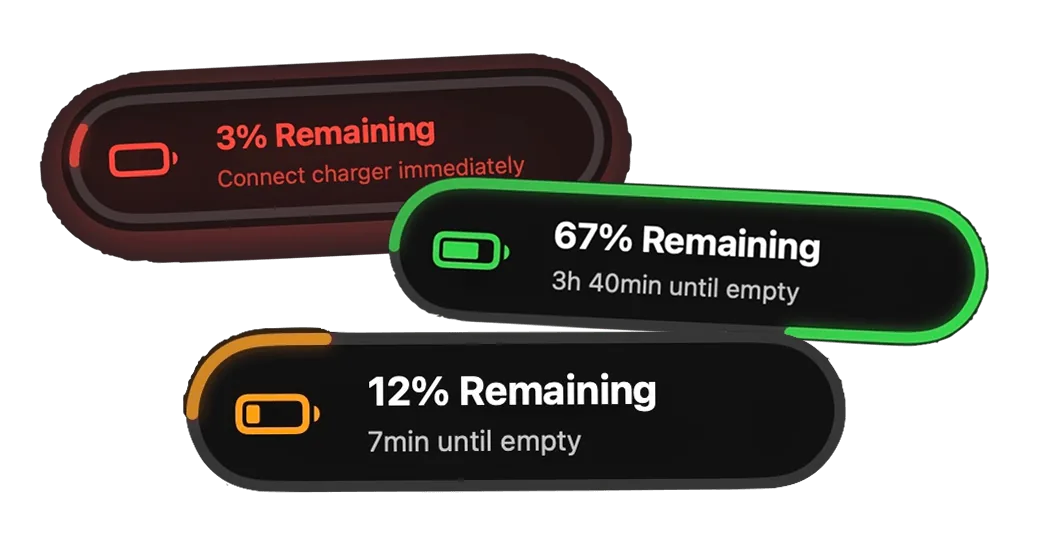
Beautiful battery alerts
Notifications you can't miss
Set up custom alerts MacBook battery at 3%, 5%, 10%, 20%, or any level you choose. Beautiful native-like notification pills that feel like at home on macOS. Juicy even makes your screen glow to grab your attention.
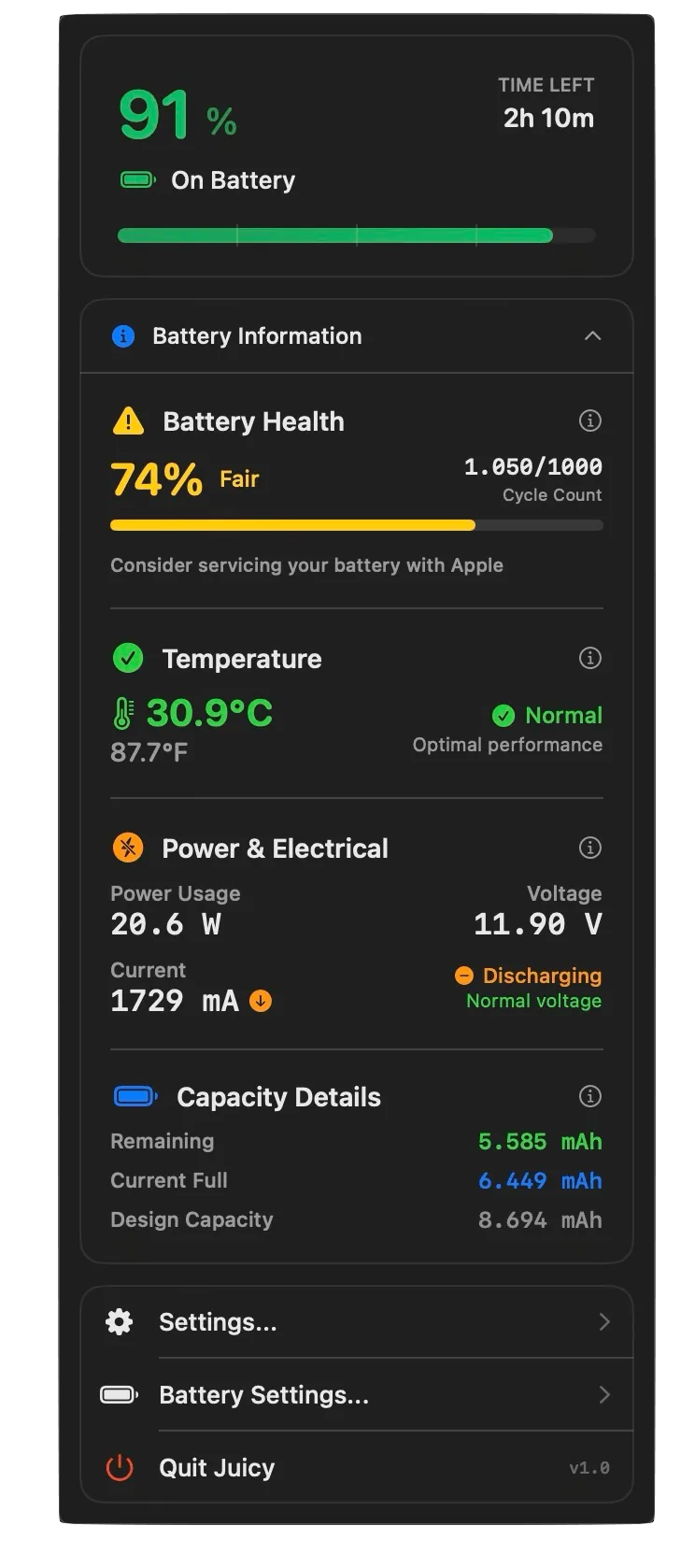
Battery health tracking
Monitor health from your menu bar
See real-time health percentage, cycle count, temperature warnings, and get Apple service recommendations — all in one glance.
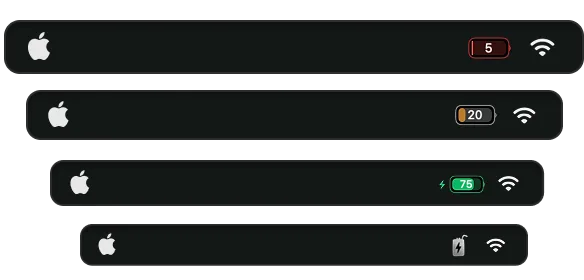
Themeable menu bar icons
Compact iPhone-style battery display
Sleek iPhone-style battery icon with % inside — compact, uses smart colors, and saves space in your menu bar over the default battery icon display.
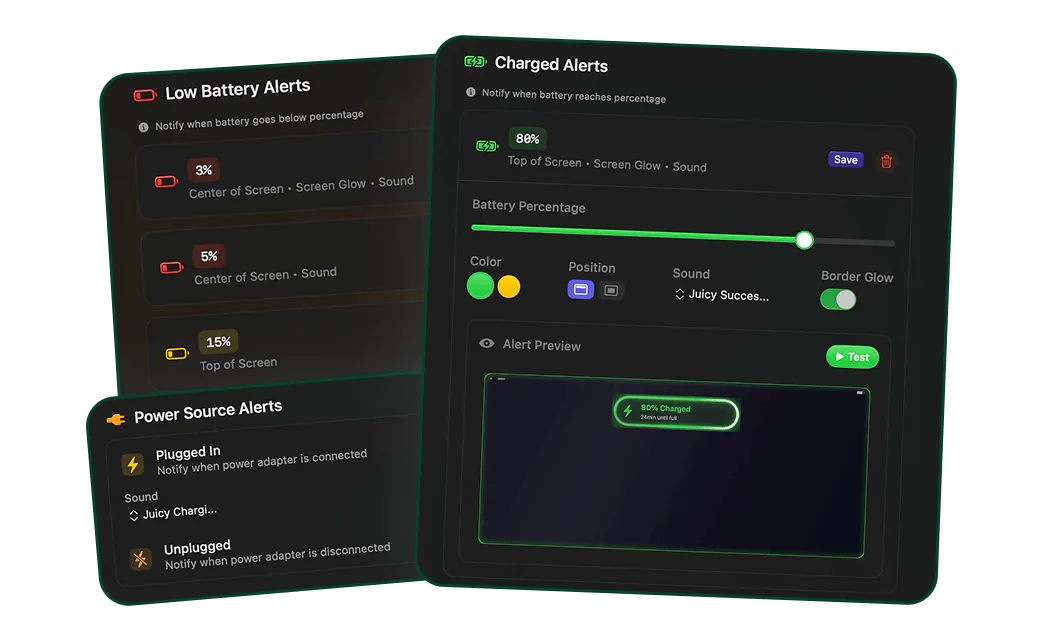
Know every stage of your battery lifecycle
Custom alerts with sounds for all events
Get notified when charged above 80%, when unplugged, or when charger plugged in. Set custom sounds for each event and stay informed about every battery state change to protect lifespan.
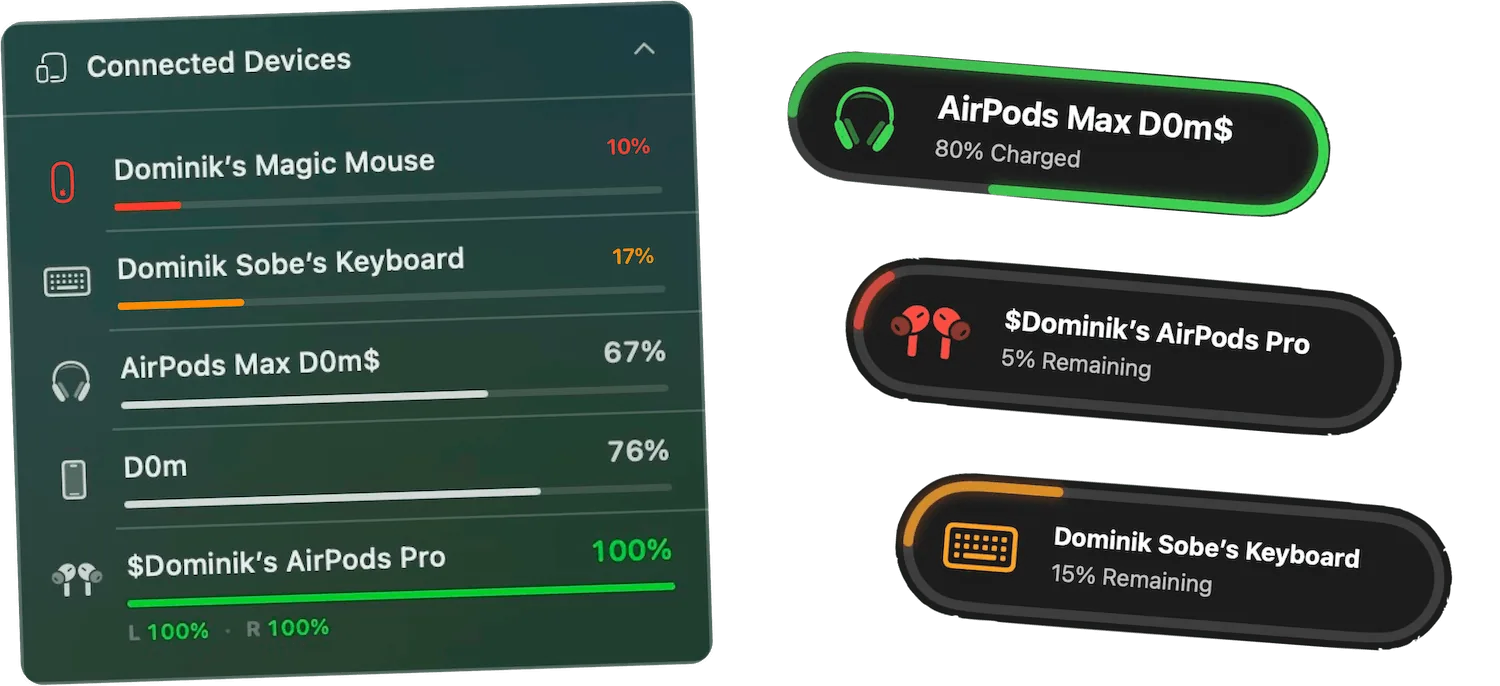
Keep track of all your devices
Every device battery, one glance
AirPods, iPhone, iPad, Magic Mouse, Keyboard, Trackpad, and your Mac — all ranked by battery level with color-coded bars. Get per-device low-battery and fully-charged alerts so nothing dies mid-call again.
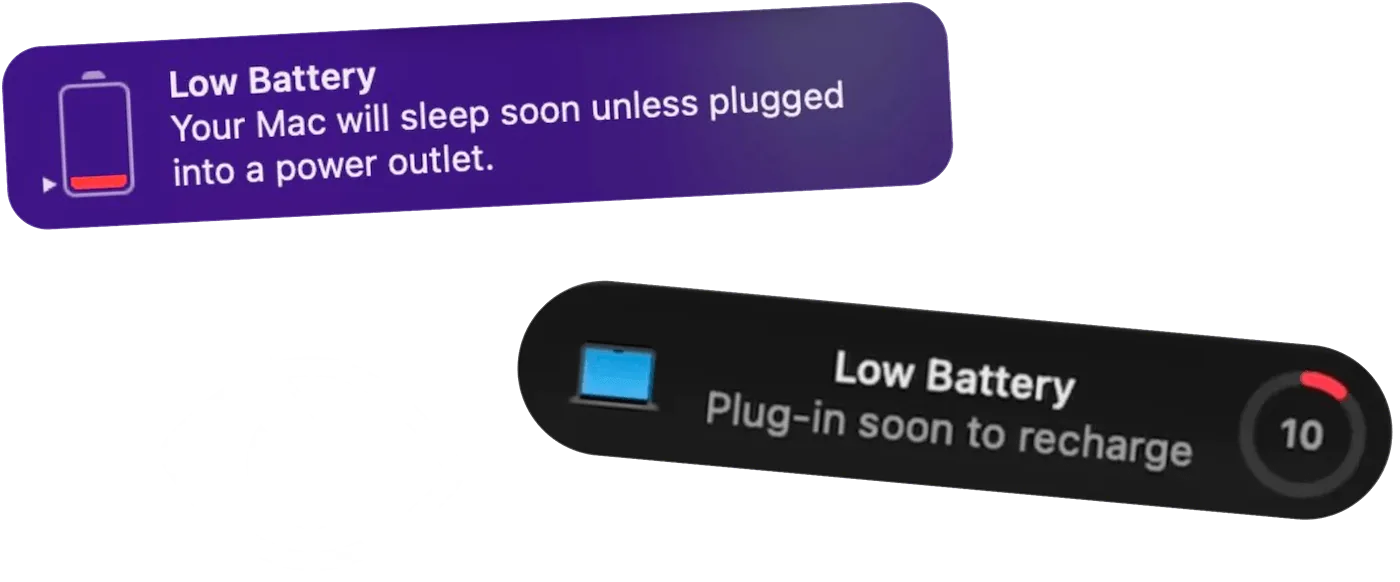
Auto-dismiss notifications
Kill annoying macOS battery pop-ups
Those macOS battery pop-ups that interrupt you mid-flow? Gone. Juicy auto-dismisses them so you don't have to lift a finger. One less thing between you and your work.
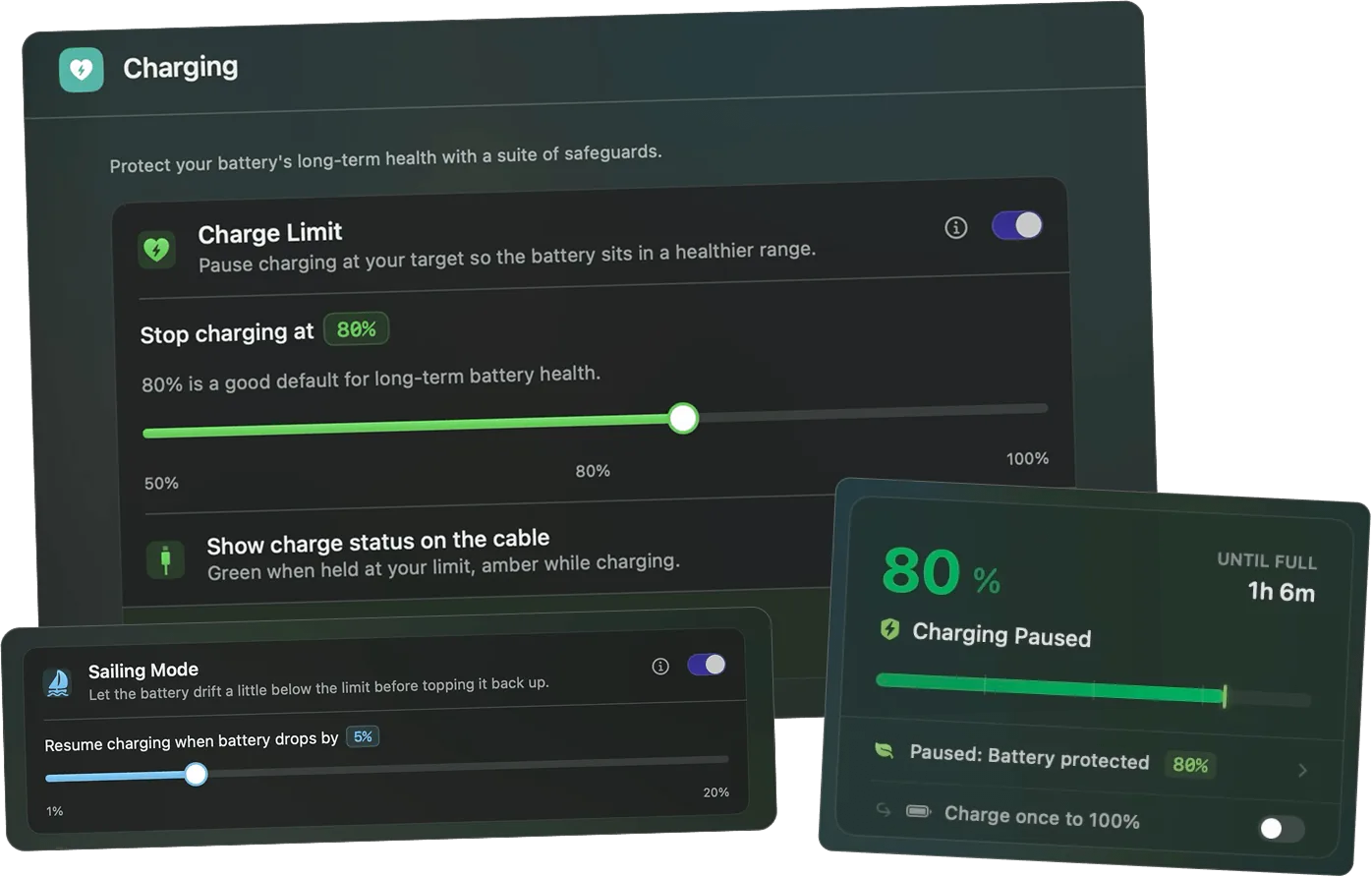
Charge limit & battery care
Stop charging at the perfect percentage
Everything you need to extend and protect your battery life. Cap charging in the healthy 50 to 80 percent band, with Sailing Mode, Automatic Discharge, and a one-tap top-up to 100 percent when you need it. Your MagSafe cable even turns green at the limit.
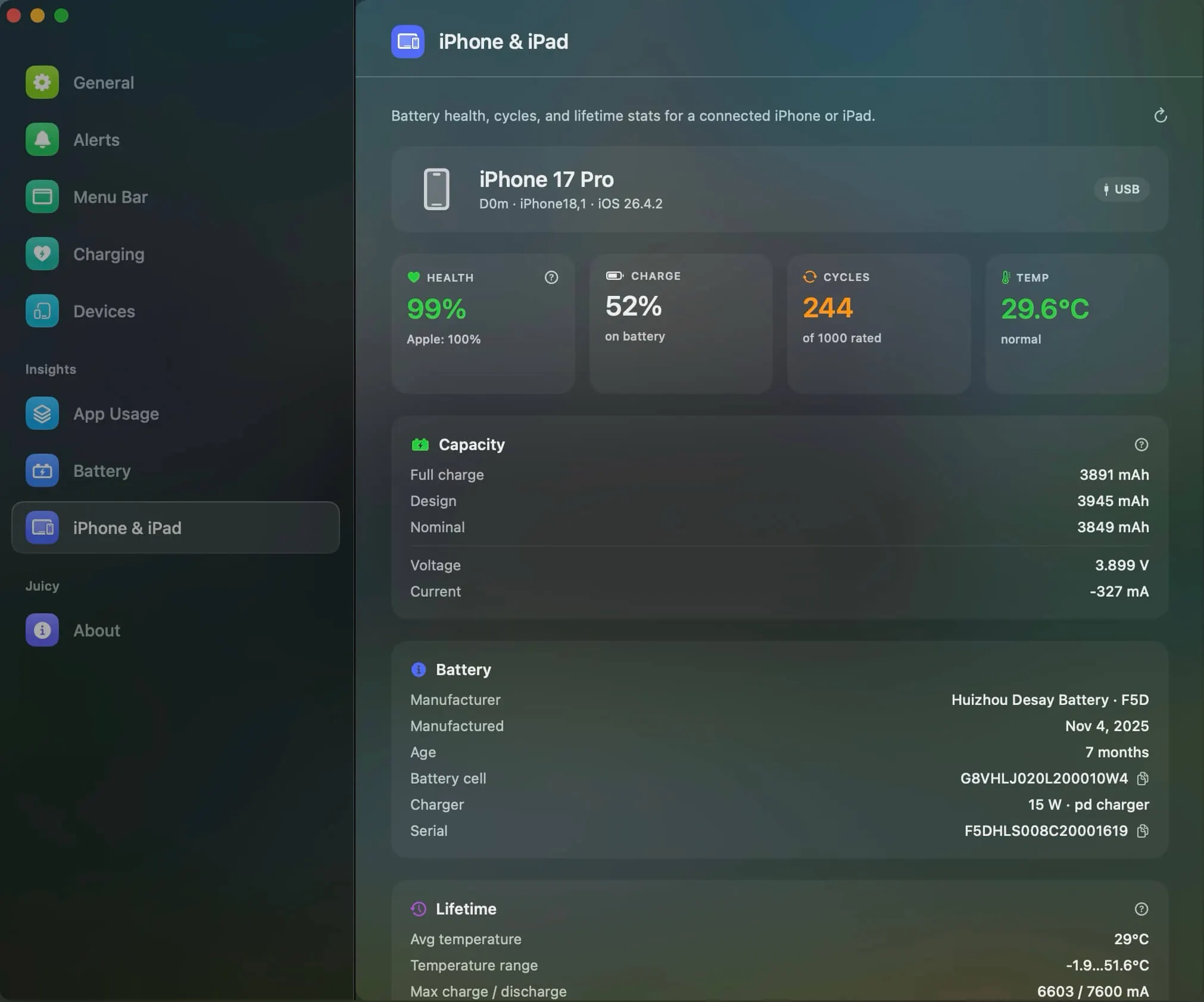
iPhone & iPad Battery Health
iPhone & iPad battery health, right inside Juicy
Plug in your iPhone or iPad and see its real battery health, cycle count, temperature, and full lifetime stats. No extra app, no guesswork, just the numbers your devices usually keep to themselves.
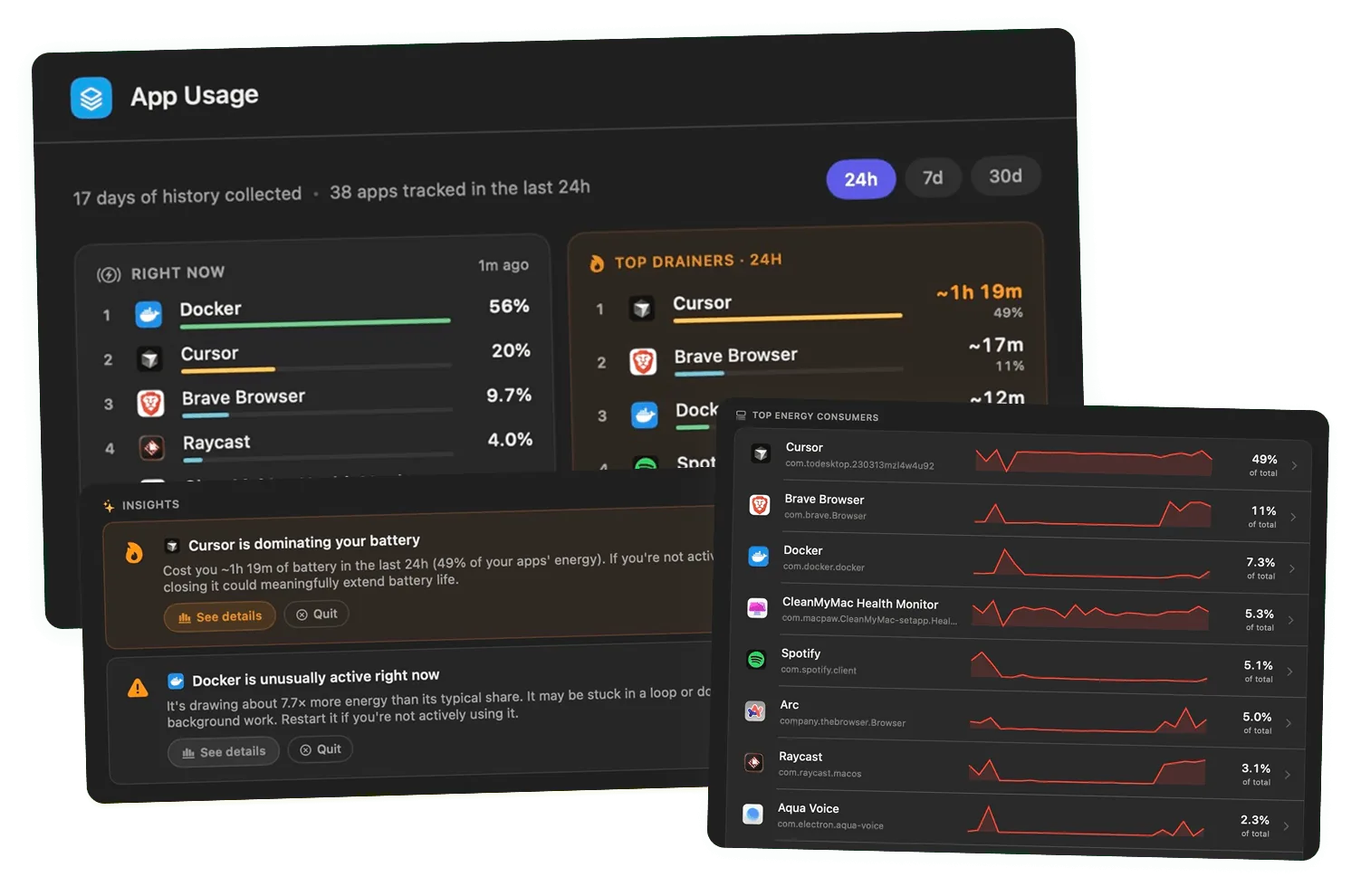
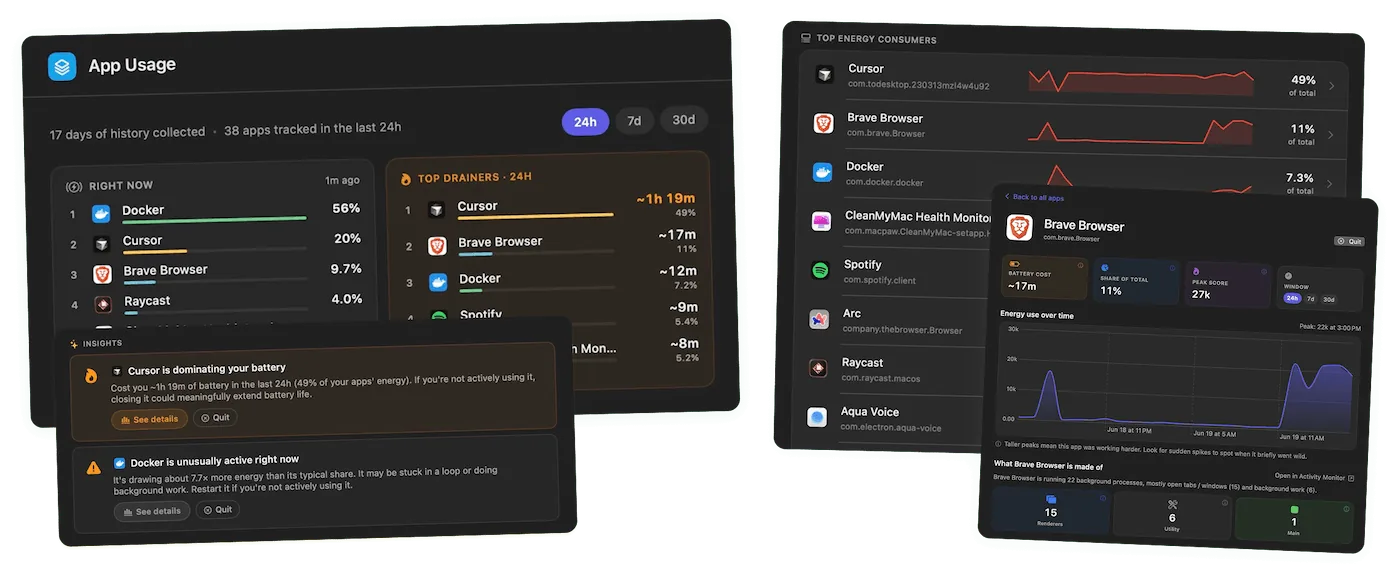
Energy use & battery insights
See exactly what drains your battery
Energy use by app with a live snapshot of what's running now, plus 24 hour, 7 day, and 30 day history with sparklines and smart callouts when an app misbehaves. Now you always know which app to blame.
Which one is right for you?
Choose coconutBattery
People who just want a quick one-shot battery health reading
- Accurate design-capacity and cycle-count readings
- Shows iPhone and iPad battery health via cable
- Has been around forever — most Mac users trust it
- Free version covers the basics
Choose Juicy
Anyone who wants a single, gorgeous menu bar app instead of stacking four battery utilities
- Glow-in-your-face alerts anchored to the notch / Dynamic Island area
- Live battery health, cycle count, temperature and voltage in the menu bar
- Charge limit to keep battery healthy for years
- Every Apple device battery: AirPods, iPhone, iPad, mouse, keyboard, trackpad
- Desktop and Notification Center widgets: every device as rings, a list or bars, lowest battery first
- Beautiful, native-feeling design — featured by Apple on the App Store
- Super engaging battery health insights, not just raw numbers
Why people switch to Juicy
They want live health data in the menu bar, not a window they forget to open
They want alerts when temperature or voltage spike
They want a charge limit to stop health from degrading in the first place
They want a modern, native-feeling design
Real users, real reviews
Why they actually love Juicy.
The battery alerts Apple should have made!
3 days in and Juicy has already saved me from my laptop dying while on a call. If that's not a win, I don't know what is!
Delightful app
Sometimes you should enjoy the little things in little... Like the beautiful notifications of this app!
This is why I like Mac OS
It can tell you that your battery is low as well as your battery health. This IS what I need for my Mac.
Purchased the app recently, GOOD STUFF to buy
The app has a very clean and well-thought-out design, and it works flawlessly. Compared to other Mac battery apps, it performs exceptionally well. I'm really impressed and looking forward to seeing even more functional and beautiful design updates in the future. I'm definitely sticking with it!
Great
Great app! Love it! Much better than the apple interface and love the screen glow effects.
Great app
I really like this app a lot. Cool remaindings, cool effects, so smooth and great colors. Love this.
Beautiful app, really useful
I swaped my standard Mac battery icon immediately with Juicy's one after installing the app. Love the craft and usefulness of the app
Awesome MUST have
Being able to set a full screen alert at 2% and 1% charge left has saved me from suddenly getting kicked out of Zooms and other calls before it's too late.
Great product!
It's such a simple and cool product! Already saved me a couple of times from getting and empty laptop!
Switching from coconutBattery
Coconut Battery doesn't store anything — just quit it and let Juicy take over.
Difficulty: easy
Frequently asked
Does Juicy replace Coconut Battery?
Is Juicy as accurate as Coconut Battery?
Can Juicy check my iPhone battery like Coconut Battery does?
Don't run out of juice.
Smart battery alerts, health insights, and beautiful design: everything you need for your Mac's battery. Use 3 days for free.
Juicy is available for your macOS
Get a download link reminder sent to your email when you are back in front of your computer:
We'll send you the download link. No spam.
 •No credit card required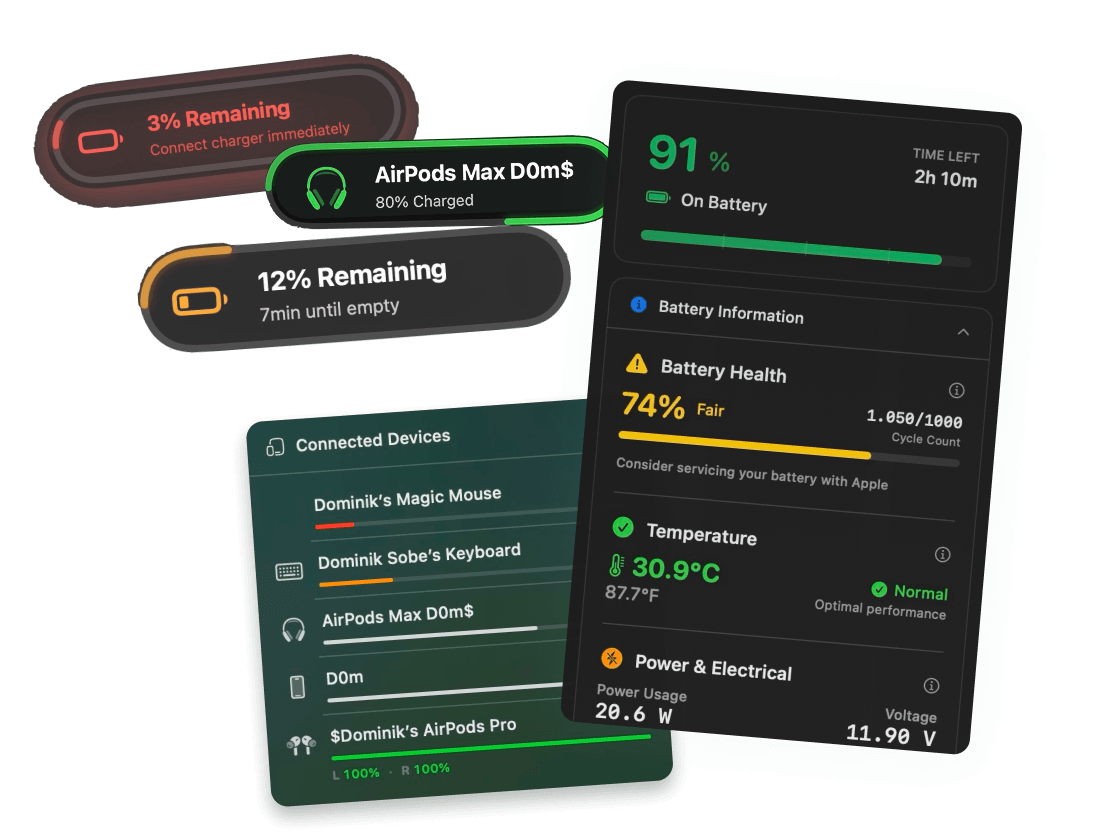
See how Juicy compares to other apps

Juicy vs AirBattery
Device Battery Alerts
AirBattery tracks every device battery, for free. Juicy tracks the same devices, then adds glowing notch alerts, live health analytics, and charge limiting in one designed app.

Juicy vs AirBuddy
Device Battery Alerts
AirBuddy 3 shows device batteries beautifully, in a HUD and in widgets. Juicy does that too, plus Mac battery alerts, health analytics and charge limiting. One menu bar icon instead of four apps.

Juicy vs AlDente Pro
Charge Limiting
AlDente limits charging. Juicy does charge limiting too — and also replaces Coconut Battery, iStat Menus and AirBuddy while delivering alerts you actually want to see.
Juicy vs iStat Menus
System Monitoring
iStat Menus is a kitchen-sink system monitor. Juicy is a focused battery app — same menu bar real estate, fully designed around the one thing people actually look at.

Juicy vs BatFi
Charge Limiting
BatFi limits charging. Juicy does that plus alerts, health, and device batteries — in one native app.
Juicy vs Endurance
Battery Life Extender
Endurance extends battery on the fly. Juicy prevents you from ending up there in the first place — with alerts, a charge limit, and live health.