Your go-to resource for mastering macOS. Discover productivity workflows, hidden features, battery optimization, deep focus techniques, and expert tips to get the most out of your Mac.
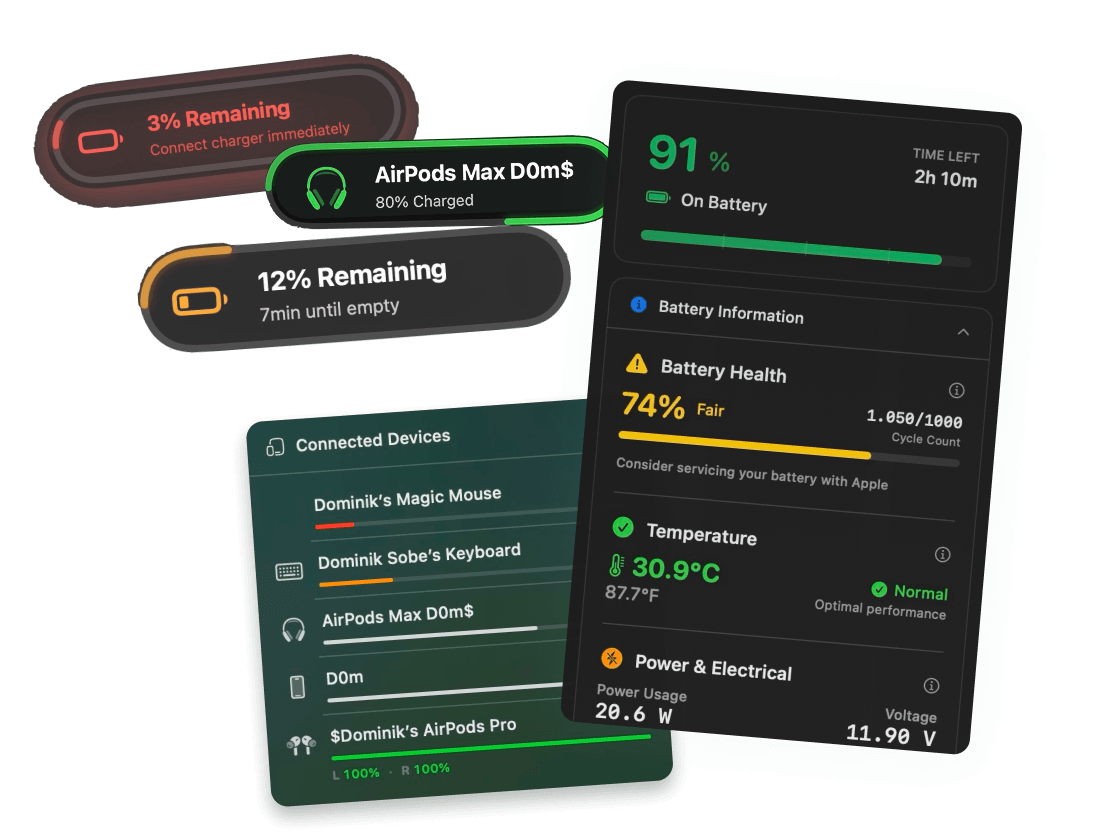
See your MacBook battery temperature in real time, in Celsius or Fahrenheit. Catch heat before it kills your battery.
Check your MacBook's charge cycle count in one click from your menu bar, without digging through System Information. See how many cycles you have left vs. Apple's rated maximum.
Learn how to check MacBook battery health in real time. See your maximum capacity, cycle count, and service status without digging through System Settings.
Monitor how many watts your MacBook is pulling in real time. The easiest way to track live Mac power draw and spot battery-hungry apps eating your charge.
See your MacBook's live battery voltage in your menu bar. Spot problems before they become service issues. The easiest way to track battery voltage on Mac.
Get notified when your MacBook hits 80% so you can unplug and protect battery lifespan. The easiest way to stop charging at 80% on Mac, without special hardware.
Learn how to replace the default MacBook battery icon with a compact iPhone style icon that shows percentage inside.
Learn how to set custom battery alerts on your Mac at any percentage (3%, 15%, 20%, 80%). Stop relying on macOS's limited warnings.
Smart battery alerts, health insights, and beautiful design — everything you need for your Mac's battery. Start your free 3-day trial today.
Juicy is available for your MacOS
Get a download link reminder sent to your email when you are back in front of your computer:
We'll send you the download link. No spam.

Free 3-day trial • No credit card required