What is charging to 100%
costing your battery?
Lithium batteries age fastest when they sit full. Answer three questions and see how many extra years of healthy battery an 80% charge limit would buy you.
1 How is your Mac usually powered?
2 Does it usually sit at 100% overnight?
3 Does it often run noticeably warm?
Runs in your browser. Nothing is uploaded.
The science, briefly
Why the last 20% hurts the most.
High voltage stress
Holding a lithium cell at 100% keeps its voltage at the top of its range, which slowly damages the electrodes even when you're not using the Mac. At 80%, that stress drops dramatically.
Heat multiplies damage
A full battery in a warm laptop is the worst combination. Capacity loss from sitting full roughly doubles with sustained heat, which is exactly what docked, hard-working Macs live with.
Time at full matters
It's not reaching 100% that ages the battery, it's living there. A Mac that's plugged in all day spends thousands of hours parked at maximum voltage. Capping at 80% ends that quietly.
Even Apple agrees with the principle. iPhones offer an 80% charge limit and EVs ship with one by default. macOS just never got the feature, which is why charge limiters exist.
Set it once, forget it
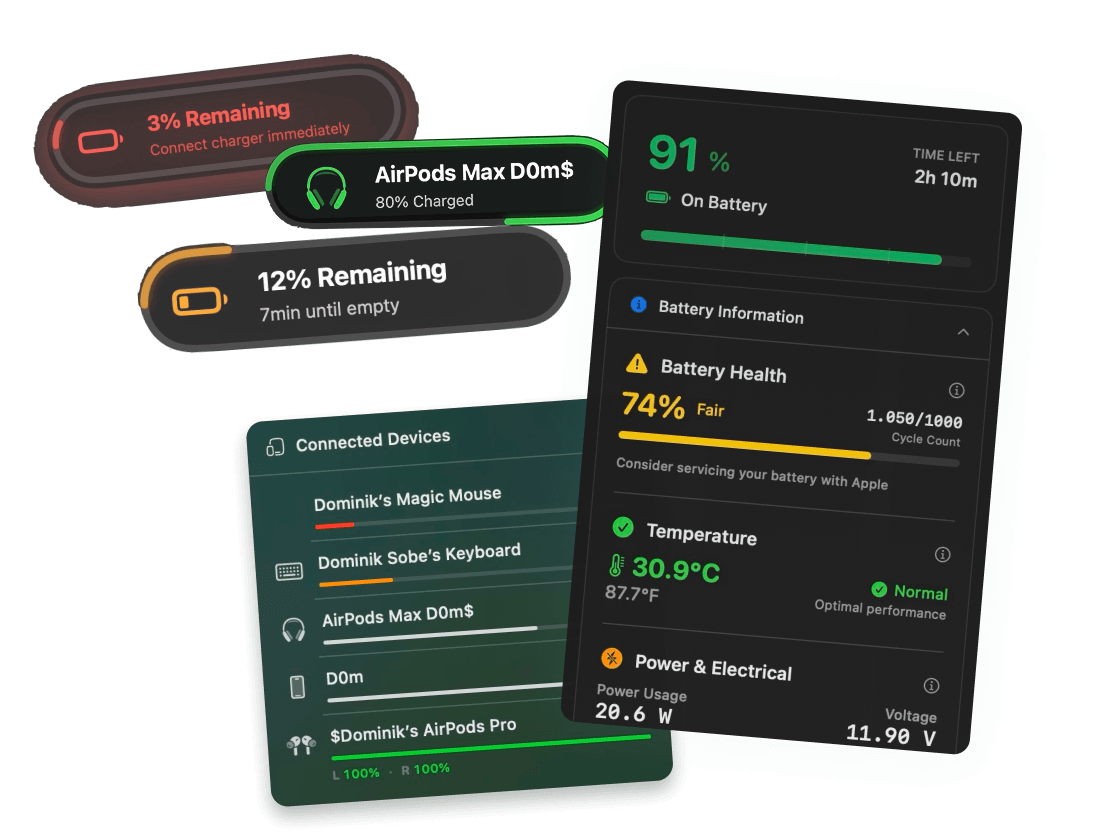
Juicy holds the line at 80% for you.
Pick any limit from 50 to 100%. Juicy manages the charging hardware directly, with Sailing Mode, Heat Protection, and a one-tap "charge to full" override for travel days.
Charge limiting,
answered.
Is it bad to leave my MacBook plugged in all the time?
Plugged in is fine, parked at 100% the whole time is the problem. Sitting at full charge keeps cell voltage at its most stressful level, which is the main driver of long-term capacity loss for desk-bound Macs. A charge limit fixes exactly this: stay plugged in, just not full.
Should I charge my MacBook to 100%?
For a flight or a long day out, absolutely, that's what the battery is for. For everyday desk use, keeping the charge around 80% meaningfully slows aging. The 20 to 80% band is where lithium batteries are happiest.
Doesn't macOS already do this with Optimized Battery Charging?
Optimized Battery Charging delays the final 20% based on your routine, and it helps. But it regularly still charges to 100%, it can't hold a hard limit, and it makes its own decisions about when. A charge limiter gives you a fixed cap that's actually enforced.
Can I set a charge limit on a Mac without an app?
No. iPhones have a built-in 80% limit setting, but macOS has never shipped one. Third-party tools manage the Mac's charging hardware directly. Juicy's charge limit does this natively on Apple Silicon Macs.
Is the 80% rule worth it if I'm mostly on battery?
The benefit is smaller but still real. Battery-heavy users age their cells mainly through cycles rather than time at full, so the cap saves less for them. The calculator above accounts for this: pick "mostly on battery" and you'll see your honest number.
How accurate is this calculator?
It's an estimate built on well-established lithium-ion aging behavior (time at high charge, heat, and cycle depth drive degradation). Real-world results vary with chemistry, workload and luck. The direction and rough size of the effect are solid; the decimal point is not a promise.
Don't run out of juice.
Smart battery alerts, health insights, and beautiful design: everything you need for your Mac's battery. Use 3 days for free.
Juicy is available for your macOS
Get a download link reminder sent to your email when you are back in front of your computer:
We'll send you the download link. No spam.
 •No credit card required