Real iPhone & iPad
battery health, on your Mac.
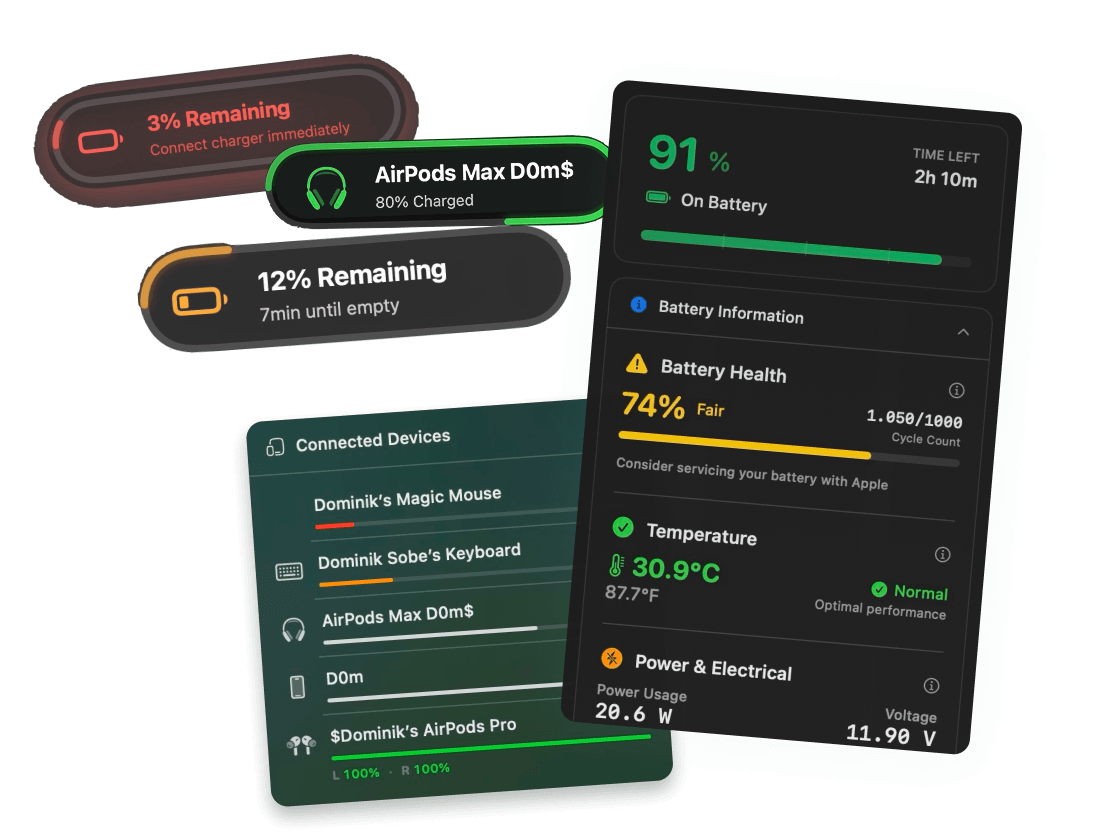
Plug an iPhone or iPad into your Mac and Juicy shows its true battery health, cycle count, temperature and full lifetime stats. No extra app, no guesswork, just the numbers your devices usually keep to themselves.
Free 3-day trial • No credit card required
Free 3-day trial • No credit card required
Juicy is available for your macOS
Get a download link reminder sent to your email when you are back in front of your computer:
We'll send you the download link. No spam.
Your iPhone hides the truth
iOS only shows a single rounded "Maximum Capacity" percentage buried in Settings, and hides cycle count, temperature and the raw capacity numbers entirely.
Juicy reveals the real data Apple keeps hidden, exact cycle count, true health vs Apple's rounded number, design vs full capacity, temperature and more. All on your Mac, over a single cable.
Every number, revealed
The full picture iOS won't show you
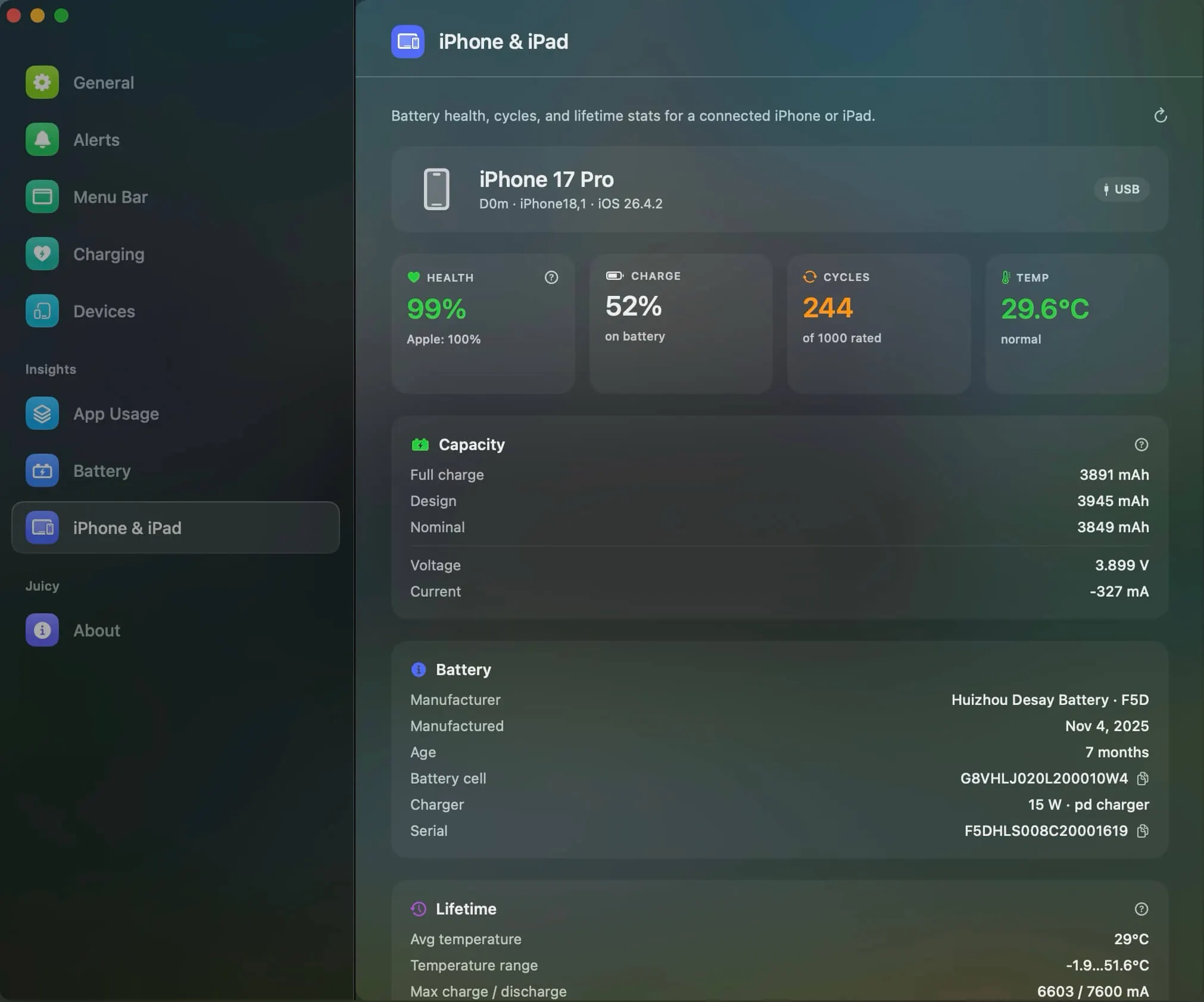
Real health, cycle count, temperature, raw mAh capacity and full lifetime stats, read straight from your iPhone or iPad the moment you plug it into your Mac.
Real battery health %
Juicy compares full-charge capacity against design capacity to show your device's true health, not iOS's rounded number.
Charge cycle count
The exact number of charge cycles your iPhone or iPad has completed, a figure iOS hides completely.
Battery temperature
Live device battery temperature so you can keep it out of the danger zone.
Capacity in mAh
Full-charge, design and nominal capacity in raw mAh, plus live voltage and current.
Battery details
Manufacturer, manufacture date, battery age, cell ID, charger wattage and serial number.
Lifetime stats
Average temperature, temperature range, max charge/discharge current, voltage range and total operating time.
Export a full battery report
Copy a plain-text report or save it as a file in one click. Print it, keep it for your records, or paste it into an AI chat for a second opinion on whether your iPhone or iPad battery is still healthy.
Works over USB
Just connect the device with a cable; Juicy reads everything instantly, nothing to install on the phone.
100% local, 100% private.
Your device data is read over the cable and processed on your Mac. Nothing is ever sent to a server.
All your Apple devices, one place
Every device's battery, side by side
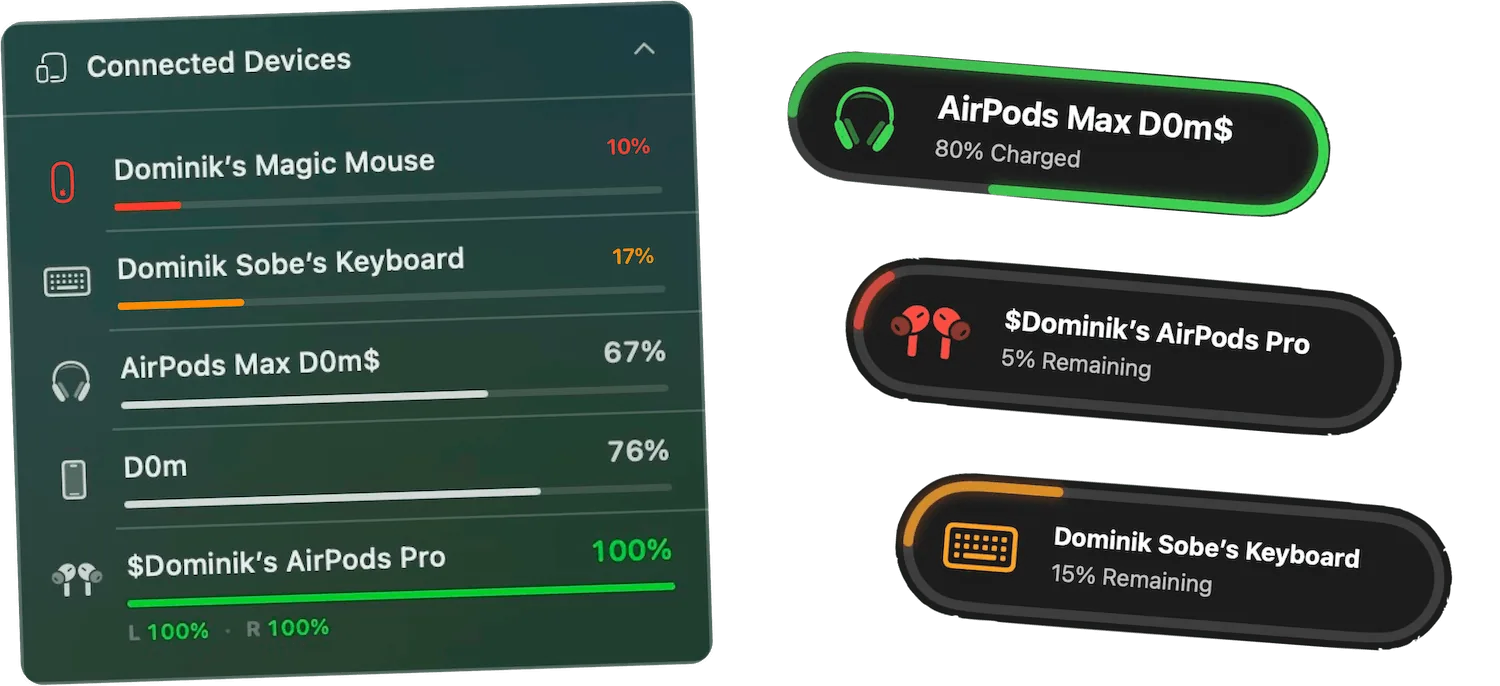
Connect your iPhone, iPad or AirPods and Juicy reads each one instantly, health, cycles, temperature and capacity for every device, right next to your Mac's own battery.
Switching from coconutBattery?
Juicy shows the same deep iPhone & iPad battery data coconutBattery is loved for, real health, cycle count, temperature, capacity and lifetime stats, and bundles it with Mac battery alerts, charge limiting, health tracking and energy insights in one paid-once app.
Part of a complete battery toolkit
Device battery health is just one piece. Juicy also keeps your Mac topped up with smart charge limiting, tracks your Mac's own battery health, surfaces live energy usage insights, and fires custom battery alerts at any percentage you choose.
Purchased the app recently, GOOD STUFF to buy
"The app has a very clean and well-thought-out design, and it works flawlessly. Compared to other Mac battery apps, it performs exceptionally well. I'm really impressed and looking forward to seeing even more functional and beautiful design updates in the future. I'm definitely sticking with it!"
One app for every battery.
Pay once, own forever.
No subscription. Replace coconutBattery and get a full Mac battery toolkit for life.
Free Trial
3 days, full features
- Custom battery alerts at any %
- Battery health monitoring
- Lifecycle alerts & notifications
- No credit card required
Pro License
One-time payment
- Pay once, use forever
- One year of free updates
- Use on up to 2 Macs
- All Pro features unlocked
Optional renewal for another year of updates at $9.99 via the license manager once period ends
Juicy is available for your macOS
Get a download link reminder sent to your email when you are back in front of your computer:
We'll send you the download link. No spam.
Lifetime License
One-time payment
- Lifetime updates, never renew
- Use on up to 2 Macs
- All Pro features unlocked
- Support indie development
Juicy is available for your macOS
Get a download link reminder sent to your email when you are back in front of your computer:
We'll send you the download link. No spam.
14-day money-back guarantee.
If Juicy doesn't work for you, get a full refund.
iPhone & iPad battery
questions
Everything about checking your iPhone and iPad battery health on a Mac.
How do I check my iPhone's battery health on a Mac?
Connect your iPhone to your Mac with a cable and open Juicy; it instantly shows real battery health, cycle count, temperature and full capacity stats.
Does Juicy show real battery health instead of Apple's rounded number?
Yes; iOS rounds Maximum Capacity, but Juicy shows true health computed from full-charge vs design capacity.
How do I see my iPhone's cycle count?
iOS hides it; Juicy reads and displays the exact charge cycle count for your iPhone or iPad.
Is Juicy a good coconutBattery alternative?
Yes; it shows the same deep iPhone & iPad battery data plus a full Mac battery toolkit in one paid-once app. See a full side-by-side at /compare/juicy-vs-coconut-battery.
Does it work with iPad too?
Yes, both iPhone and iPad battery health are fully supported.
Do I need to install anything on my iPhone or iPad?
No; everything reads over the cable from your Mac. Nothing to install on the device.
What about iPhone battery maximum capacity?
Juicy shows both the underlying mAh capacity and a true health percentage, so you see far more than the single rounded figure in iOS Settings.
Can I export or share my iPhone's battery report?
Yes. Juicy lets you copy a plain-text report or save it as a file in one click, covering health, cycle count, temperature, capacity and lifetime stats. Print it, keep it for your records, or paste it into an AI chat for a second opinion before you buy a used device or claim a warranty.
Is my battery data private?
Yes; everything is read and processed locally on your Mac and never sent anywhere.
Don't run out of juice.
Smart battery alerts, health insights, and beautiful design: everything you need for your Mac's battery. Use 3 days for free.
Juicy is available for your macOS
Get a download link reminder sent to your email when you are back in front of your computer:
We'll send you the download link. No spam.
 •No credit card required