Which apps are
draining your battery?
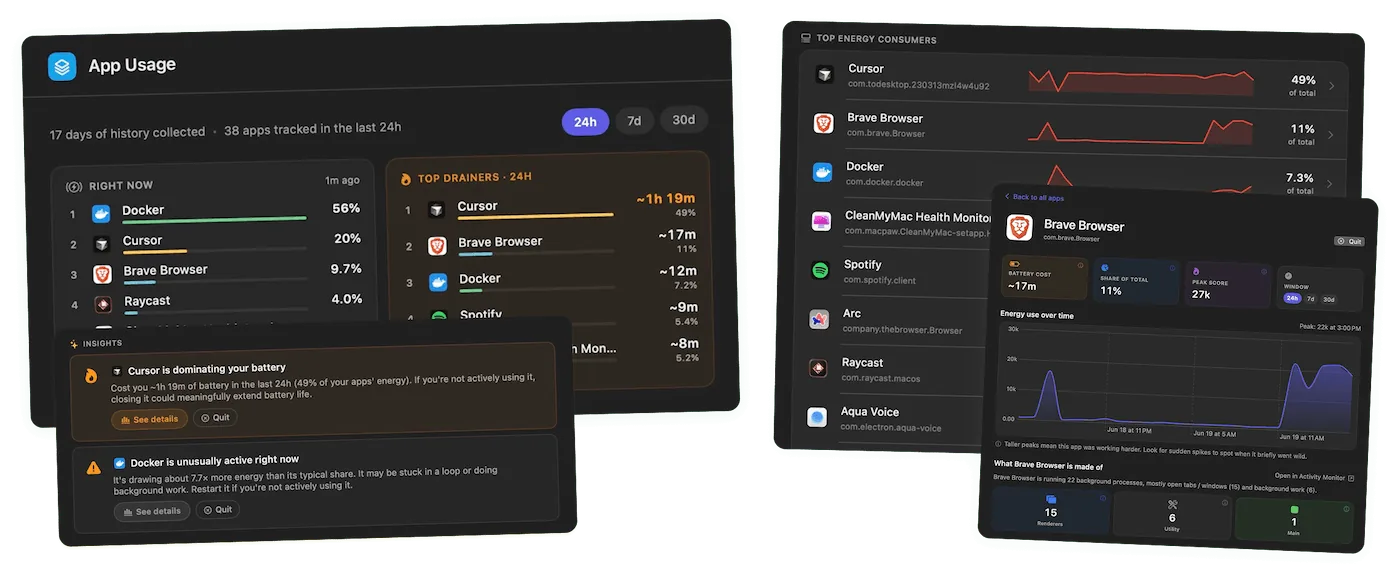
Juicy shows your energy use by app, so you know exactly which ones are eating your Mac battery. Get a live snapshot of what's running now, history across 24 hours, 7 days and 30 days, and a callout the moment an app starts misbehaving.
Free 3-day trial • No credit card required
Free 3-day trial • No credit card required
Juicy is available for your macOS
Get a download link reminder sent to your email when you are back in front of your computer:
We'll send you the download link. No spam.
Your battery drains and
you've no idea why
macOS only gives you a vague "Apps Using Significant Energy" warning and an Activity Monitor Energy tab that's clunky and shows a single snapshot. The usual suspects? Heavy browser tabs, video calls, and Electron apps.
The Juicy app ranks the real battery drainers right in your menu bar and tracks them over time. Spot the offender and quit it in seconds.
Everything energy insights should do
Find the drainers, fast
Energy use by app
A ranked list of the apps using the most energy right now, so you can spot and quit the worst offender in seconds.
Live snapshot
See exactly what's running and drawing power this very moment, refreshed continuously.
History with sparklines
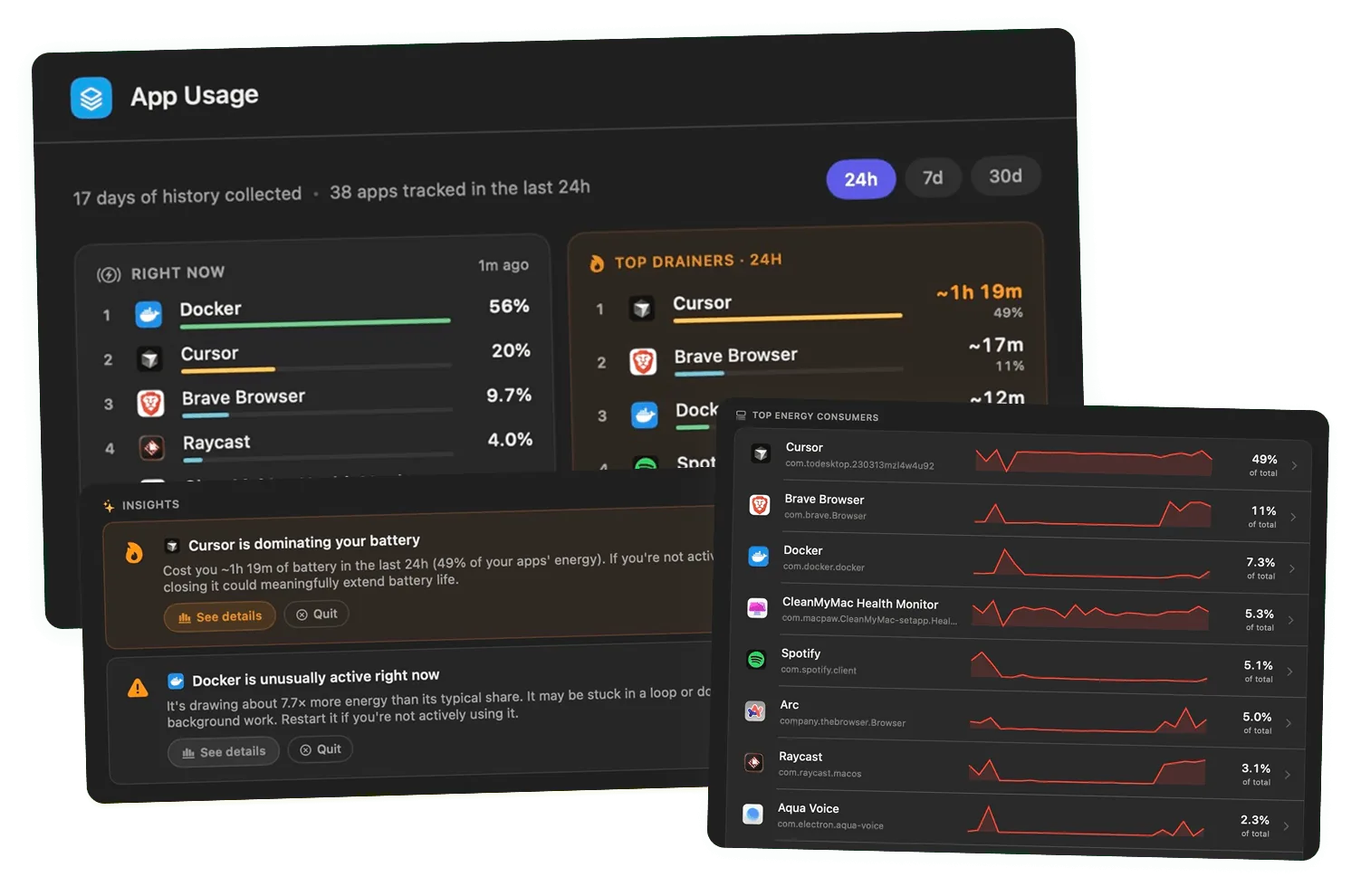
Look back across 24 hours, 7 days and 30 days with per-app sparklines to catch patterns and repeat offenders.
Smart callouts
Juicy flags an app the moment it starts misbehaving and burning more energy than usual.
Pairs with live wattage
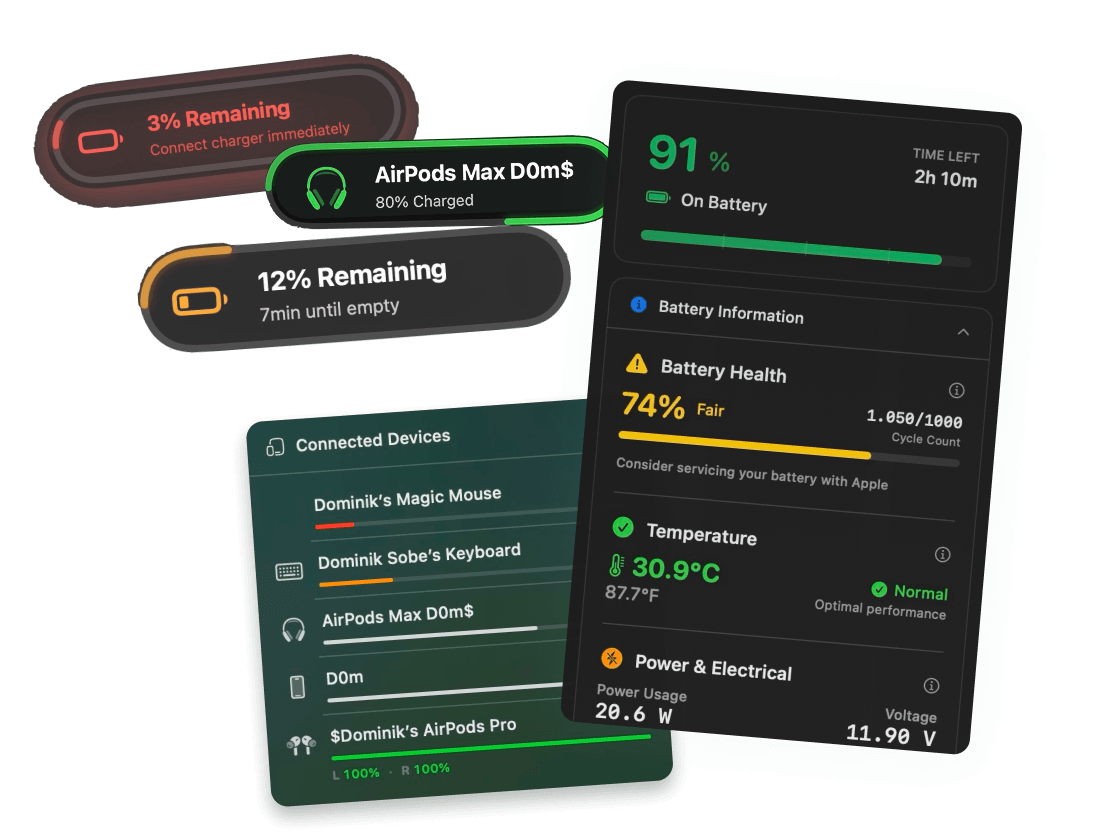
Combine app energy impact with your Mac's real-time power draw (watts) to understand true battery cost. See battery health tracking →
100% local & private
Everything is computed on your Mac. Nothing about what you run is ever sent to a server.
Always one click away
See the drainers at a glance
Click the Juicy icon in your menu bar and instantly see which apps are eating your battery right now, plus how they've trended over the last 24 hours, 7 days and 30 days. Want to go deeper? Open any app for the full breakdown.
Go deeper than any other app
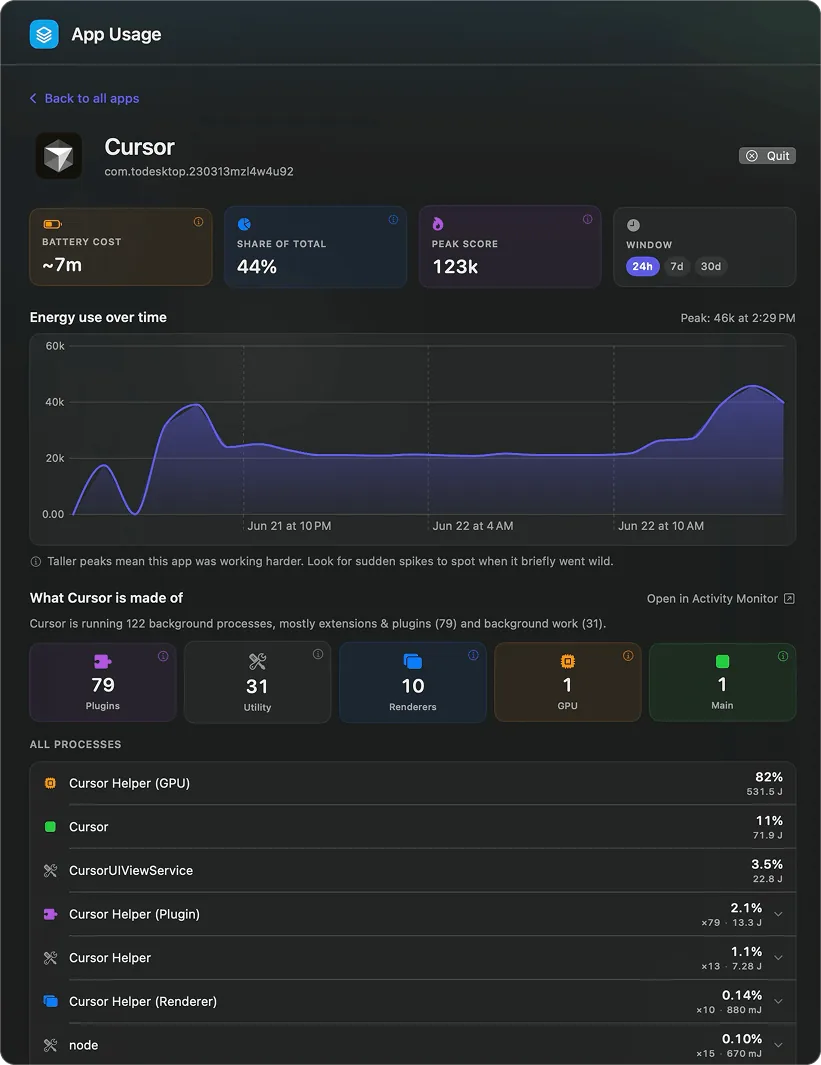
See what an app is really made of
Open any app for a full dashboard: its battery cost, share of total drain, peak score and energy over time. Then Juicy does what no other Mac app does: it breaks the app down into the exact processes, helpers and plugins eating your battery, so you can catch when one goes out of hand.

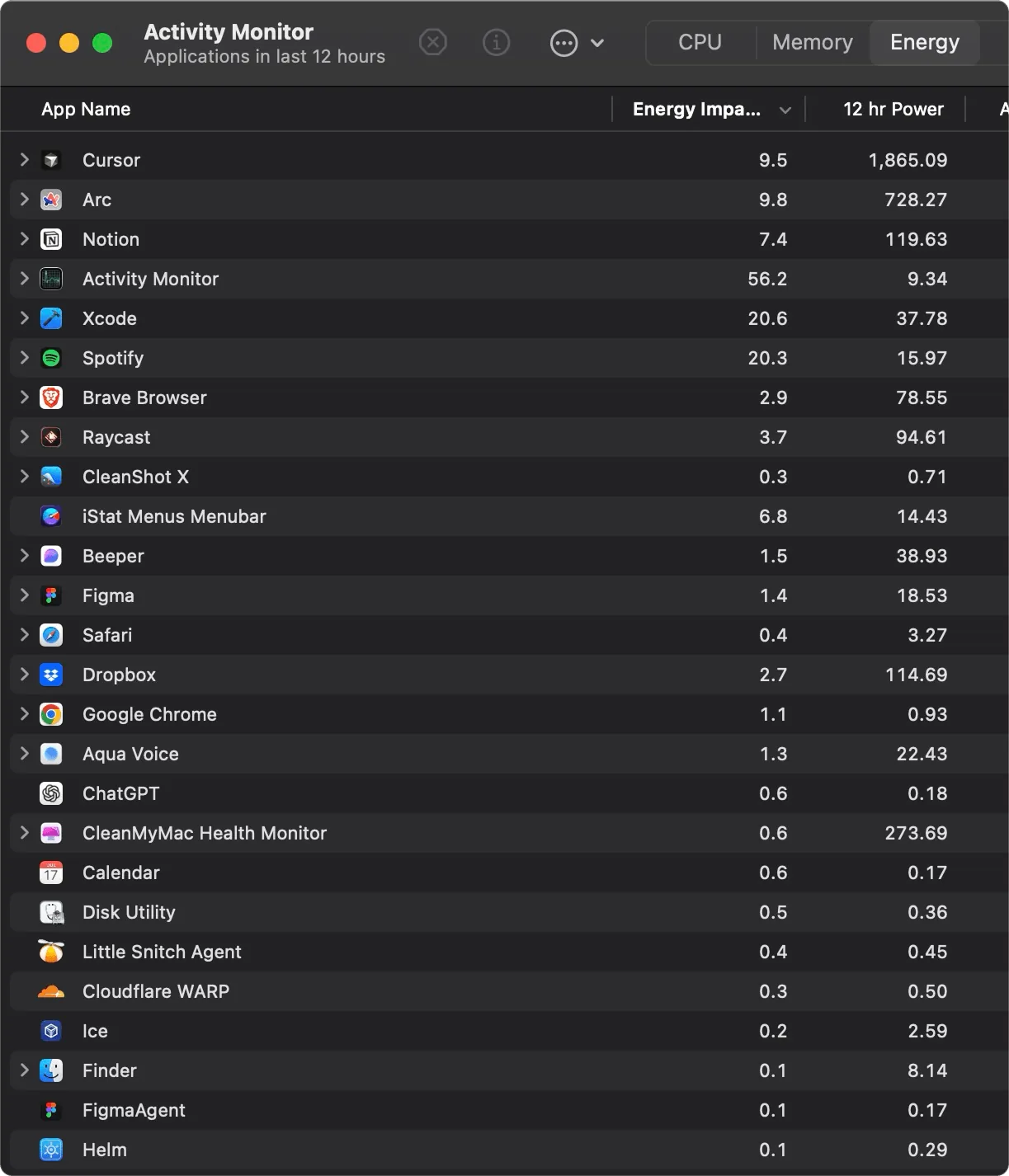
No more digging through Activity Monitor
Juicy replaces fishing through Activity Monitor's Energy tab and heavyweight tools like iStat Menus and Endurance, with a clean menu bar panel that ranks your real battery drainers automatically and keeps a history of them.
Energy insights are just one part of Juicy. Cap your charging with the charge limit, keep an eye on your battery health tracking, never miss a moment with custom battery alerts, and check your iPhone & iPad battery health too, all from the same menu bar.
Love it
"Its worth it for a fiver definitely lol this is so much better than the standard boring battery presentation"
Know what's draining you.
Pay once, own forever.
No subscription. No hidden fees. See your Mac's energy use by app for life.
Free Trial
3 days, full features
- Custom battery alerts at any %
- Battery health monitoring
- Lifecycle alerts & notifications
- No credit card required
Pro License
One-time payment
- Pay once, use forever
- One year of free updates
- Use on up to 2 Macs
- All Pro features unlocked
Optional renewal for another year of updates at $9.99 via the license manager once period ends
Juicy is available for your macOS
Get a download link reminder sent to your email when you are back in front of your computer:
We'll send you the download link. No spam.
Lifetime License
One-time payment
- Lifetime updates, never renew
- Use on up to 2 Macs
- All Pro features unlocked
- Support indie development
Juicy is available for your macOS
Get a download link reminder sent to your email when you are back in front of your computer:
We'll send you the download link. No spam.
14-day money-back guarantee.
If Juicy doesn't work for you, get a full refund.
Energy use
questions
Everything about finding and fixing what's draining your Mac's battery.
How do I see which apps are draining my MacBook's battery?
Open Juicy from the menu bar; then dive deeper via the dashboard. Juicy ranks every app by energy use so you can spot the worst offender instantly, no Activity Monitor required.
Why is my MacBook battery draining so fast?
Usually a few heavy apps, browser tabs with video/ads, video calls, and Electron-based apps. Juicy shows exactly which ones, live.
What apps use the most battery on a Mac?
Commonly web browsers with many tabs, video conferencing apps, and Electron apps. Your real list depends on your usage, Juicy shows yours specifically.
Is this better than Activity Monitor's Energy tab?
Yes; Juicy is always one click away in the menu bar, ranks drainers automatically, keeps 24h/7d/30d history with sparklines, and proactively flags misbehaving apps.
Does Juicy track energy history over time?
Yes, across 24 hours, 7 days and 30 days with per-app sparklines so you can catch repeat offenders.
Does monitoring energy use itself drain my battery?
No; Juicy is a lightweight native Swift app designed to have negligible impact.
What does 'Apps Using Significant Energy' mean on a Mac?
It's the warning macOS shows in the battery menu when an app is burning through power, but it won't tell you how much or why. Juicy turns that vague label into a ranked, quantified breakdown of every energy-hungry app, with history and a per-app process view.
Is my data sent anywhere?
No; all energy analysis happens locally on your Mac.
Don't run out of juice.
Smart battery alerts, health insights, and beautiful design: everything you need for your Mac's battery. Use 3 days for free.
Juicy is available for your macOS
Get a download link reminder sent to your email when you are back in front of your computer:
We'll send you the download link. No spam.
 •No credit card required