iPhone battery health
checker.
Enter the two numbers from your iPhone's settings and find out if your battery is actually good for its age, and how long it has left. Runs 100% in your browser, nothing is uploaded.
Find both under Settings > Battery > Battery Health & Charging. On iOS 17.4 or later, the cycle count is also under Settings > General > About.
100% private. Your data never leaves this page.
Reference
What's normal, at every age.
Typical maximum capacity ranges for iPhones with average use. Heavy chargers and hot climates land lower, light users higher.
| iPhone age | Typical health | Verdict |
|---|---|---|
| 6 months | 96 to 99% | Like new |
| 1 year | 92 to 97% | Great |
| 2 years | 85 to 92% | Normal wear |
| 3 years | 80 to 87% | Aging, still fine |
| 4 years | 75 to 83% | Service territory |
| 5+ years | 70 to 80% | Replace for best results |
Community-reported ranges for average use. Your mileage will vary with charging habits, climate and luck.
Behind the percentage
Why Apple's number is only half the story.
It's rounded
iOS shows a smoothed, rounded percentage. Two iPhones both showing "87%" can differ by a meaningful amount of real capacity. The raw battery data is more precise than the Settings screen lets on.
It lags
The displayed number recalibrates slowly and can sit unchanged for weeks while the battery underneath keeps aging. People are routinely surprised when it suddenly drops 3 points overnight.
It hides the details
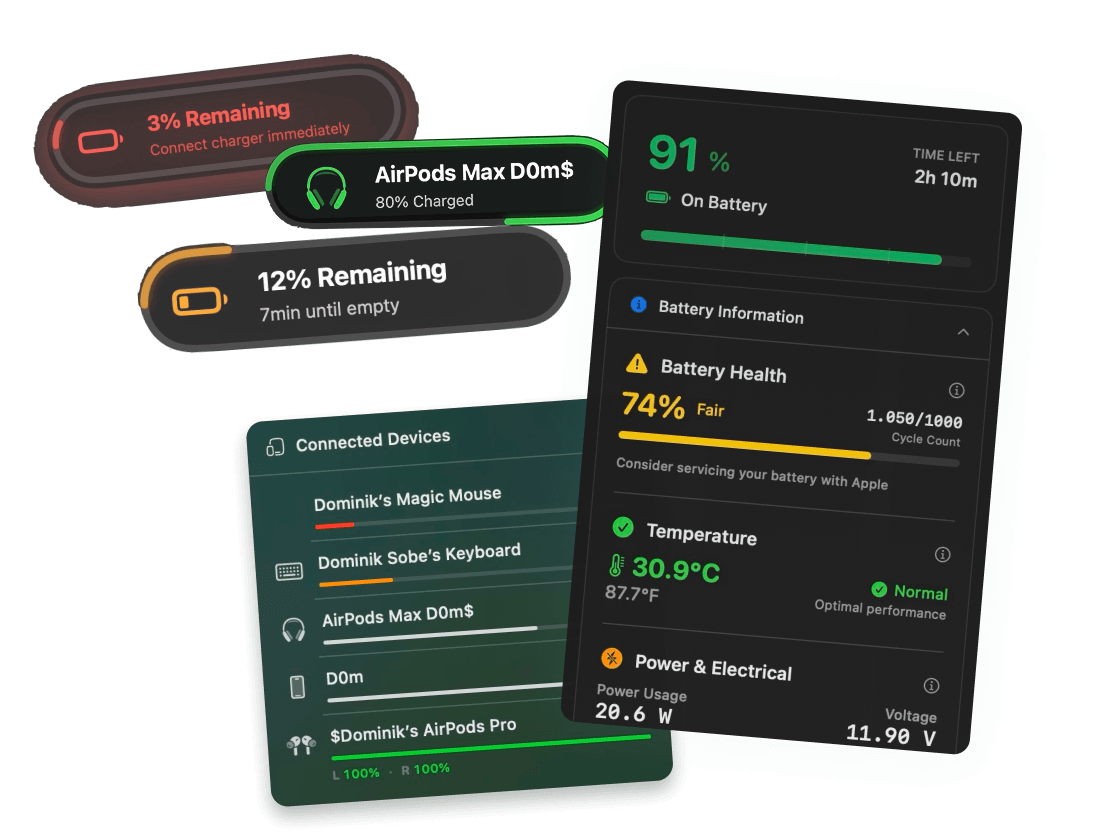
No temperature, no real mAh capacity, no lifetime stats. The battery chip records all of it, iOS just doesn't show you. Reading it over USB is how tools like coconutBattery and Juicy get the full picture.
The full picture
Plug in your iPhone. See everything.
Connect your iPhone or iPad to your Mac over USB and Juicy reads the battery chip directly: true health percentage, exact cycle count, temperature, real mAh, and an exportable report. The coconutBattery experience plus more in a beautiful modern macOS menu bar.
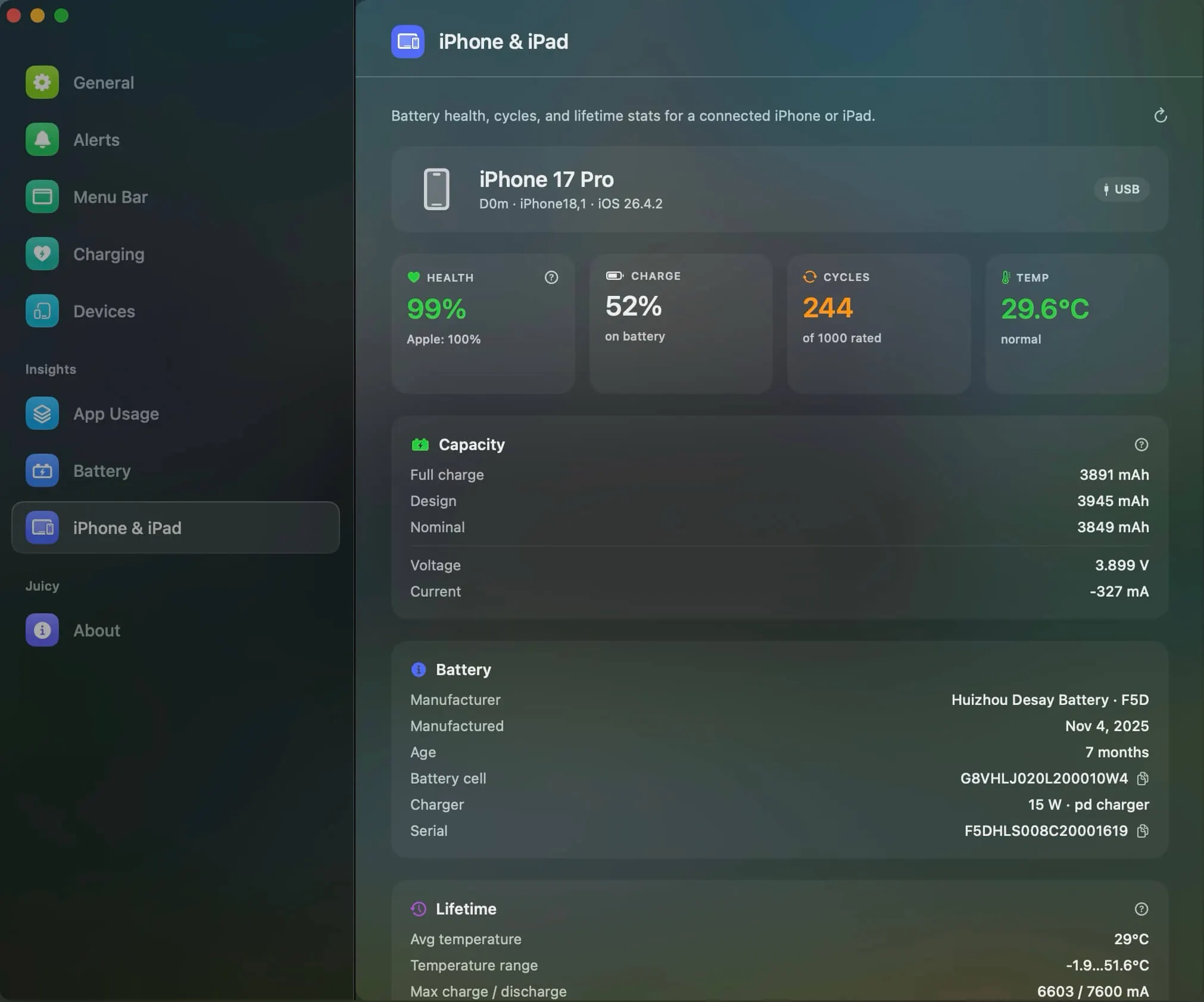
Curious how it works? See the iPhone & iPad battery health feature.
iPhone battery health,
answered.
How do I check my iPhone's battery health?
Open Settings > Battery > Battery Health & Charging. "Maximum Capacity" is the headline number. On iOS 17.4 or later you'll also find the cycle count there or under Settings > General > About. Enter both above for a full read.
What is a good battery health percentage for an iPhone?
Above 90% is great, 85 to 90% is normal for a phone around two years old, and 80 to 85% is worn but workable. Apple's own service threshold is 80%: below that you qualify for a free AppleCare+ battery replacement and peak performance can be affected.
Is 85% battery health good for an iPhone?
For a 2 to 3 year old iPhone, 85% is completely normal. You'll notice shorter days than when it was new, but nothing is wrong. If you plan to keep the phone past the 3-year mark, treat the battery gently from here: it's close to service territory.
How many charge cycles does an iPhone battery last?
iPhone 15 and later are rated to keep 80% capacity for 1,000 complete cycles, double the 500-cycle rating of iPhone 14 and earlier. A typical user adds 300 to 400 cycles a year, which is why older iPhones often hit the 80% line around year two or three.
How much does an iPhone battery replacement cost?
With AppleCare+, free once health is below 80%. Without it, Apple charges roughly $69 to $99 for most recent models and up to $119 for the newest Pro models (US prices as of 2026). A fresh battery is the single cheapest way to make an old iPhone feel new.
Is Apple's battery health number accurate?
Roughly, yes, but it's rounded and it lags: the displayed percentage recalibrates slowly and can sit frozen for weeks. The battery chip itself stores precise capacity in mAh, exact cycles and temperature. Juicy reads those raw values when you plug your iPhone into your Mac.
Does this work for iPads too?
The same logic applies, though iPadOS only shows battery health in Settings on newer iPads. For any iPad, plugging it into a Mac running Juicy reads the real health, cycles and capacity directly from the battery.
How do I keep my iPhone battery healthy?
Heat is enemy number one: avoid hot cars, direct sun and charging under a pillow. Use the built-in 80% charge limit (iPhone 15 and later) or Optimized Battery Charging, and don't obsess over partial charges, lithium batteries prefer them. Your Mac deserves the same care, by the way.
Don't run out of juice.
Smart battery alerts, health insights, and beautiful design: everything you need for your Mac's battery. Use 3 days for free.
Juicy is available for your macOS
Get a download link reminder sent to your email when you are back in front of your computer:
We'll send you the download link. No spam.
 •No credit card required