How to Check iPad Battery Health (Even When iPadOS Hides It)
Jul 20, 2026 • 6 min read By Dominik, maker of Juicy • Updated Sep 18, 2026Most iPads do not show battery health or capacity anywhere in Settings. Unlike the iPhone, iPadOS has no Battery Health screen on the vast majority of models, so there is no Maximum Capacity number to read. To see real health and cycle count on any iPad, plug it into a Mac and read it there.
Verified on iPadOS 26 in September 2026. The Settings layout has been the same since iPadOS 17.
Below: exactly what your iPad does and does not show, the free scavenger hunt for the number Apple buries, and the one method that works on every iPad.
Does the iPad show battery health at all?
For most people the honest answer is no. Open Settings and tap Battery, and on the vast majority of iPads you get a usage graph and Low Power Mode, and nothing about the battery's condition. No Maximum Capacity, no cycle count, no health percentage. The iPhone has had a Battery Health screen since 2018. The iPad, for the most part, still does not.
Apple did add a battery health readout to a small number of recent iPad models. If yours is one of them, you will find it here:
- Open Settings.
- Tap Battery.
- Tap Battery Health (if the row exists).
- Read Maximum Capacity and, on some models, Cycle Count.
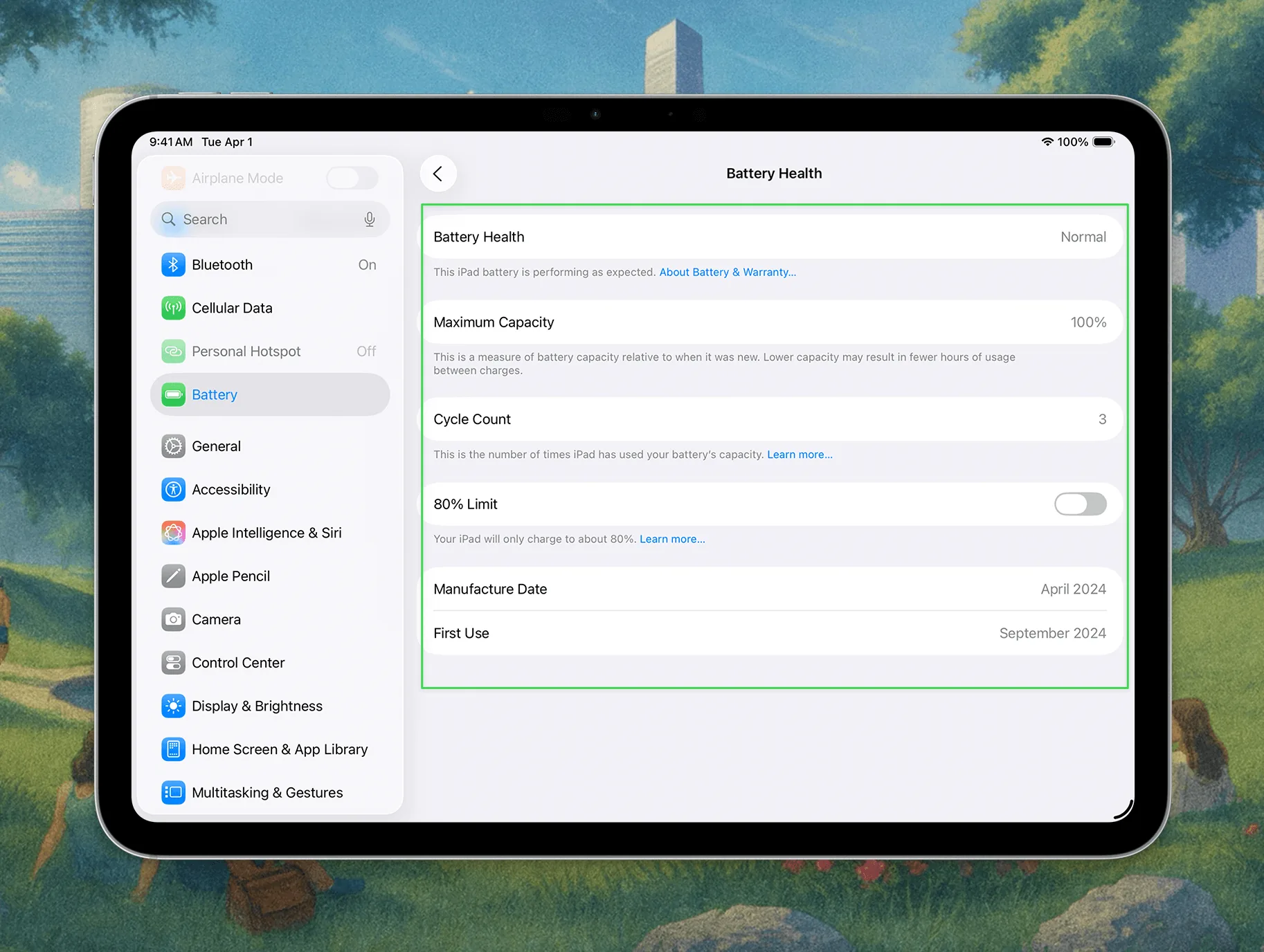
If that Battery Health row is not there, you have not missed a setting and you do not need a software update. Your iPad model was never given the screen. That is the whole reason this is such a frustrating search: the number exists inside the battery, iPadOS just refuses to print it.
The free workaround: analytics log files
There is a genuinely free way to pry the number loose, and it is a scavenger hunt.
- Open Settings.
- Tap Privacy & Security.
- Tap Analytics & Improvements, then Analytics Data.
- Scroll to the newest Analytics- file and open it.
- Search the wall of text for
last_value_MaximumFCCorCycleCount.
MaximumFCC is the battery's full charge capacity in mAh, which you can compare against your model's original rated capacity to work out a rough health percentage. It only works if analytics sharing was already turned on, the files are enormous and unreadable on a small screen, and the fields are not always present. It is a workaround, not a feature, and nobody enjoys doing it twice.
The reliable way: read your iPad from your Mac
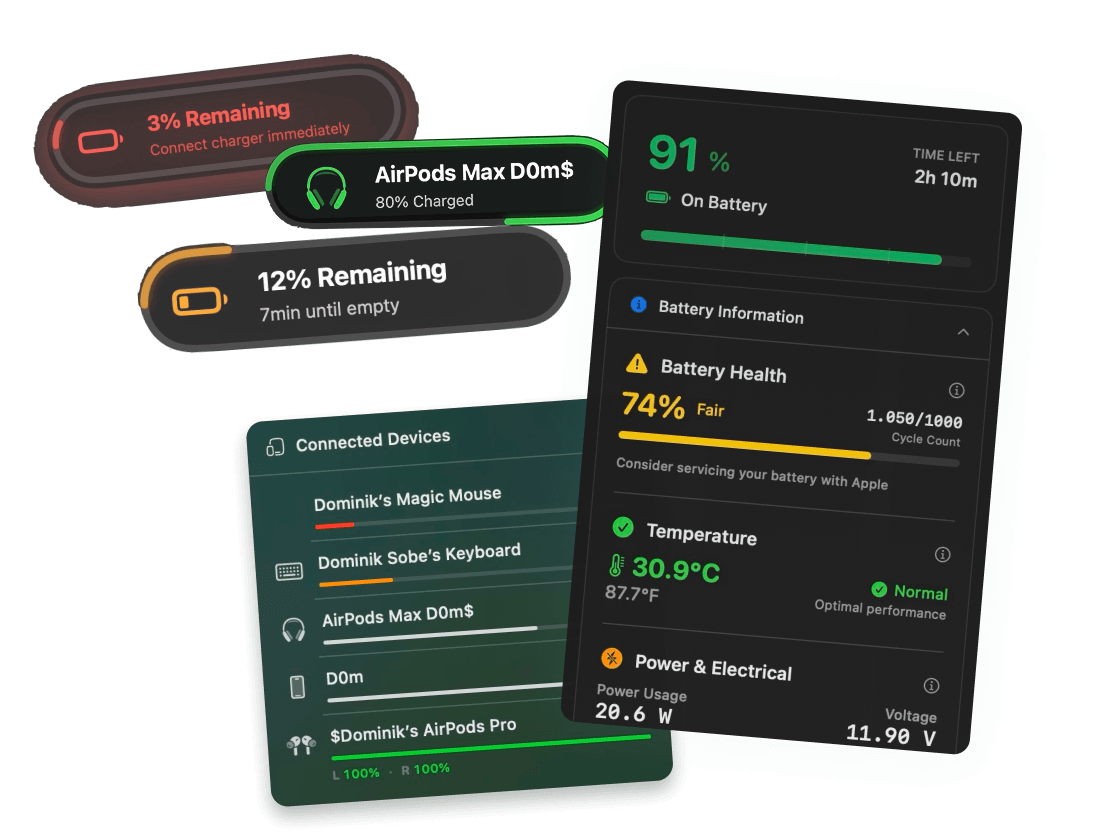
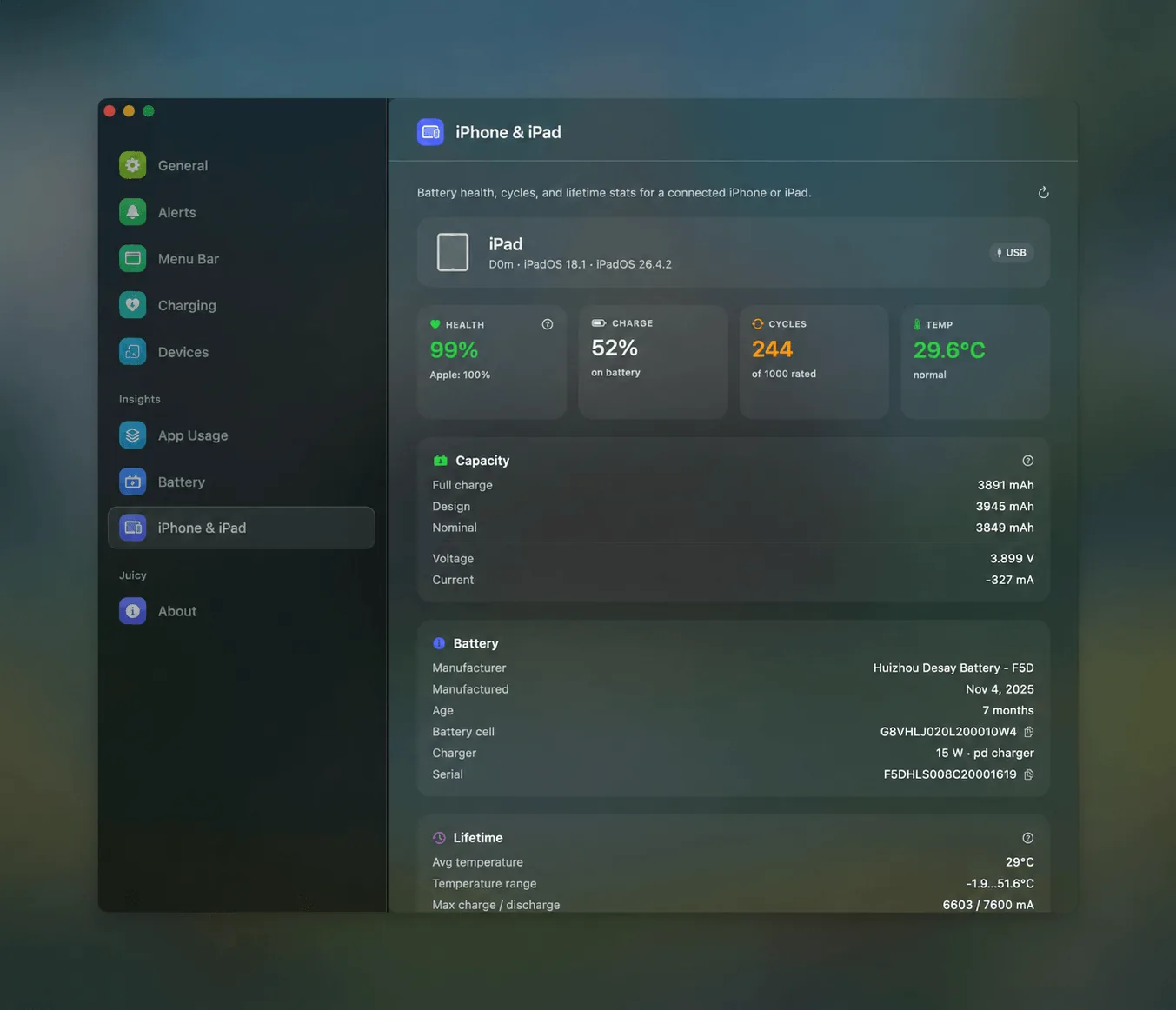
Plug your iPad into your Mac with a cable, and Juicy's iPhone and iPad diagnostics read the battery data straight from the device: real health percentage, cycle count, temperature, and full charge capacity in mAh, with nothing to install on the iPad itself. This works on any iPad, including the older ones iPadOS refuses to show anything for. (iPad diagnostics are in Juicy's direct download and Setapp versions.)
That is the part worth underlining. The native screen exists on a handful of models. The Mac readout works on all of them, because it is asking the battery directly instead of waiting for iPadOS to volunteer the answer.
Step by step
- Connect your iPad to your Mac with a USB-C or Lightning cable.
- If your iPad asks, tap Trust This Computer and enter your passcode.
- Open Juicy from your Mac's menu bar.
- Select your iPad from the device list.
- Read its health percentage, cycle count, and temperature.
Your iPhone reads the same way, and we walk through it in how to check iPhone battery capacity. If you want a plain-English verdict on the numbers you find, paste them into our free iPhone and iPad battery health checker, which grades capacity and cycle count in the browser.
What is a good iPad battery health percentage?
Once you have the number, iPads follow the same thresholds as every other Apple battery.
| Maximum Capacity | Verdict |
|---|---|
| 100 to 90 percent | Healthy, new or lightly used |
| 89 to 80 percent | Normal wear, typical after 2 to 3 years |
| 79 to 70 percent | Worn, noticeably shorter runtime |
| Below 70 percent | Heavily degraded, replacement worth considering |
The 80 percent line is Apple's own: at or above it, the battery is considered healthy, and below it Apple flags the battery as consumed. iPads tend to age slower than iPhones in calendar time because they spend more of their lives in a drawer, but cycle count is what actually matters. Apple rates iPad batteries to hold 80 percent through 1,000 cycles, so a tablet at 84 percent after 700 cycles is aging exactly on schedule. The same 84 percent after 200 cycles would be wearing unusually fast, which usually points at heat or a lot of charging while gaming.
Temperature is the reading most people ignore and it is worth a glance. A battery that regularly runs warm ages faster than the cycle count alone predicts, so a live temperature figure tells you whether your usage is quietly cooking the cell.
If you also want your Mac's own battery in the same view, checking battery health on a Mac covers the two free native methods there, plus how Juicy keeps all your devices in one menu.
Why bother, if the iPad still works?
An iPad with a tired battery does not announce it. It just quietly stops lasting the flight, or shuts down at 15 percent, and you blame the app. Knowing your real health and cycle count tells you whether that is age or something fixable, and whether a battery service is worth it before the tablet is worth replacing outright.
Juicy is a native Mac menu-bar app, featured by Apple on the Mac App Store, 4.85 stars across 100+ reviews. Plug your iPad in once and it reads the health that iPadOS hides, in the direct download and Setapp versions, with a free 3-day trial. The free scavenger hunt is always there if you would rather. We just think you will only do it once.
Frequently asked questions
Does the iPad show battery health?
Most iPads do not. Unlike the iPhone, iPadOS has no Battery Health screen on the vast majority of models, so there is no Maximum Capacity to read in Settings. Only a small set of recent iPads added one. On every other iPad, you have to read the battery from a Mac to see health and cycle count.
Why can't I see battery health on my iPad?
Because Apple never built the screen for your model. iPadOS simply does not expose battery health or capacity in Settings on most iPads, even though the battery reports that data internally. It is not a bug or a missing update, it is a feature Apple left out. Plugging into a Mac reads it directly.
What is a good iPad battery health percentage?
The same thresholds as any Apple device. At or above 80 percent of original capacity is healthy, and that is the line Apple's warranty service uses. High 80s is normal after a couple of years of use. Below 80 percent you will notice shorter runtime, and a replacement starts to make sense.
How many cycles does an iPad battery last?
Apple rates iPad batteries to keep at least 80 percent of original capacity through 1,000 complete charge cycles. Most people take three to five years to reach that, since iPads often sit idle between uses. After 1,000 cycles the battery still works, it just holds noticeably less.