Protect your battery
with lifecycle alerts.
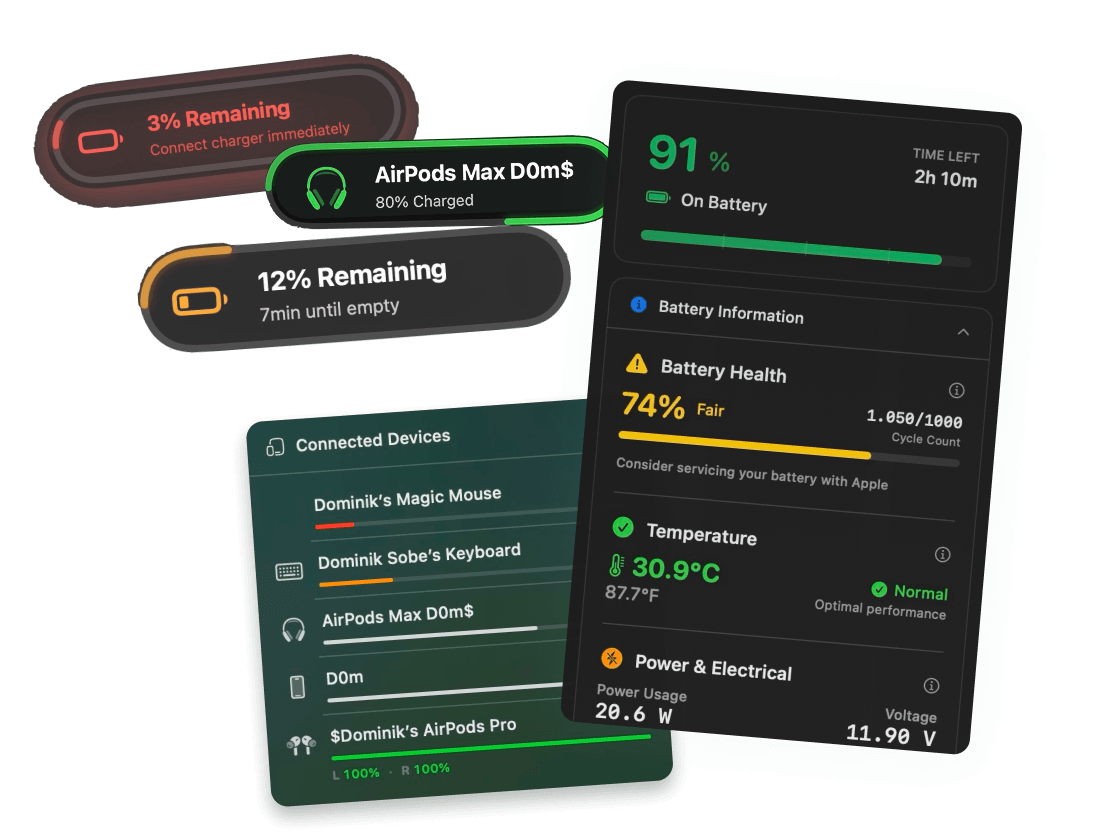
Get notified at 80% charge to unplug and extend lifespan. Plus plug, unplug, and charger alerts for every battery state change — with custom sounds for each one.
Free 3-day trial • No credit card required
Free 3-day trial • No credit card required
Juicy is available for your macOS
Get a download link reminder sent to your email when you are back in front of your computer:
We'll send you the download link. No spam.
Charging to 100%
is killing your battery
Lithium-ion cells degrade fastest at high states of charge. Keeping your MacBook between 20–80% can nearly double its useful lifespan. The fix? A simple alert when you hit 80%.
Without lifecycle alerts
- Battery sits at 100% all day, accelerating degradation.
- No idea when your charger accidentally disconnects.
- Discover at 9% that you were on battery for three hours.
- Battery degrades ~20% faster than it could.
With lifecycle alerts
- 80% notification fires — unplug and protect the cells.
- Instant alert when the charger disconnects unexpectedly.
- Satisfying sound when your Mac starts charging.
- Battery lifespan extended by hundreds of cycles.
Don't want to unplug manually?
Lifecycle alerts nudge you to unplug at 80%. Juicy's Charge Limit does it for you automatically, capping charging at your target so the battery never sits at 100%, with Sailing Mode, Heat Protection and Automatic Discharge built in.
Every state change covered
Alerts for every battery moment
80% charge alert
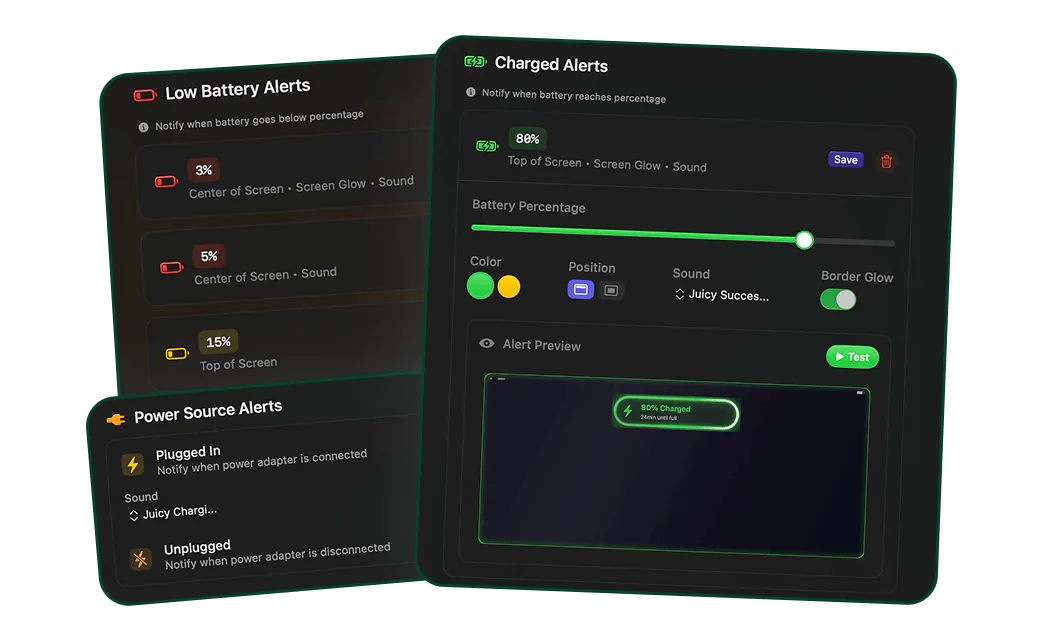
Get notified the moment your MacBook crosses 80%. Unplug, let your battery cycle lower, and extend its lifespan by hundreds of charge cycles.
Plug-in notifications
A subtle notification when your charger is plugged in — confirmation that your Mac is actually charging. Perfect for flaky USB-C cables.
Unplug notifications
Instant alert when your charger disconnects. No more finding out three hours later that your kitten yanked the cable.
Custom sound per event
Assign a different macOS sound to each lifecycle event — one for plug-in, another for unplug, another for hitting 80%. Silent mode also supported.
Low battery lifecycle alerts
Combines with Juicy's custom alerts to give you the full lifecycle picture: charging up, hitting 80%, unplugging, draining, and reaching critical levels.
Built to extend battery life
Backed by lithium-ion chemistry research — keeping your battery between 20–80% significantly extends its rated cycle count and overall lifespan.
Purchased the app recently, GOOD STUFF to buy
"The app has a very clean and well-thought-out design, and it works flawlessly. Compared to other Mac battery apps, it performs exceptionally well. I'm really impressed and looking forward to seeing even more functional and beautiful design updates in the future. I'm definitely sticking with it!"
Save your battery.
Once and for all.
A one-time payment. Every lifecycle alert unlocked for life.
Free Trial
3 days, full features
- Custom battery alerts at any %
- Battery health monitoring
- Lifecycle alerts & notifications
- No credit card required
Pro License
One-time payment
- Pay once, use forever
- One year of free updates
- Use on up to 2 Macs
- All Pro features unlocked
Optional renewal for another year of updates at $9.99 via the license manager once period ends
Juicy is available for your macOS
Get a download link reminder sent to your email when you are back in front of your computer:
We'll send you the download link. No spam.
Lifetime License
One-time payment
- Lifetime updates, never renew
- Use on up to 2 Macs
- All Pro features unlocked
- Support indie development
Juicy is available for your macOS
Get a download link reminder sent to your email when you are back in front of your computer:
We'll send you the download link. No spam.
14-day money-back guarantee.
If Juicy doesn't work for you, get a full refund.
Lifecycle alert
questions
Everything about protecting your MacBook battery with lifecycle alerts.
Why should I get an alert when my MacBook hits 80% charge?
Lithium-ion batteries degrade fastest at high states of charge. Keeping your MacBook between 20–80% can dramatically extend its lifespan. An 80% alert lets you unplug at the sweet spot before damage accrues — without needing to remember manually.
Does macOS already have an 80% charge limit feature?
macOS has 'Optimized Battery Charging' which delays charging past 80% based on your schedule, but it only works predictably if your usage patterns are very consistent. Juicy's explicit 80% alert works every single time, regardless of your schedule. And if you'd rather not unplug at all, Juicy's Charge Limit feature hard-caps charging at your chosen percentage automatically.
Can I get notified when my charger is unplugged?
Yes. Juicy sends an instant notification the moment your charger disconnects — so you'll never discover hours later that your cable was loose or knocked out.
Does Juicy support custom sounds for each lifecycle event?
Absolutely. You can assign a different sound to plug-in, unplug, charged-above-80%, and low battery alerts. Or go silent and use only the on-screen notification.
Will lifecycle alerts actually extend my MacBook's battery lifespan?
Yes, indirectly. The alerts remind you to unplug near 80% so lithium-ion cells don't sit at high voltage for extended periods — which is one of the main causes of battery degradation. It's a simple habit that pays off over years of use.
Do lifecycle alerts work with Juicy's custom low-battery alerts?
Yes — they're designed to work together. Lifecycle alerts cover charging events and state changes, while custom battery alerts cover specific percentage thresholds. Most users enable both.
Don't run out of juice.
Smart battery alerts, health insights, and beautiful design: everything you need for your Mac's battery. Use 3 days for free.
Juicy is available for your macOS
Get a download link reminder sent to your email when you are back in front of your computer:
We'll send you the download link. No spam.
 •No credit card required