Watch power flow
through your Mac, live.
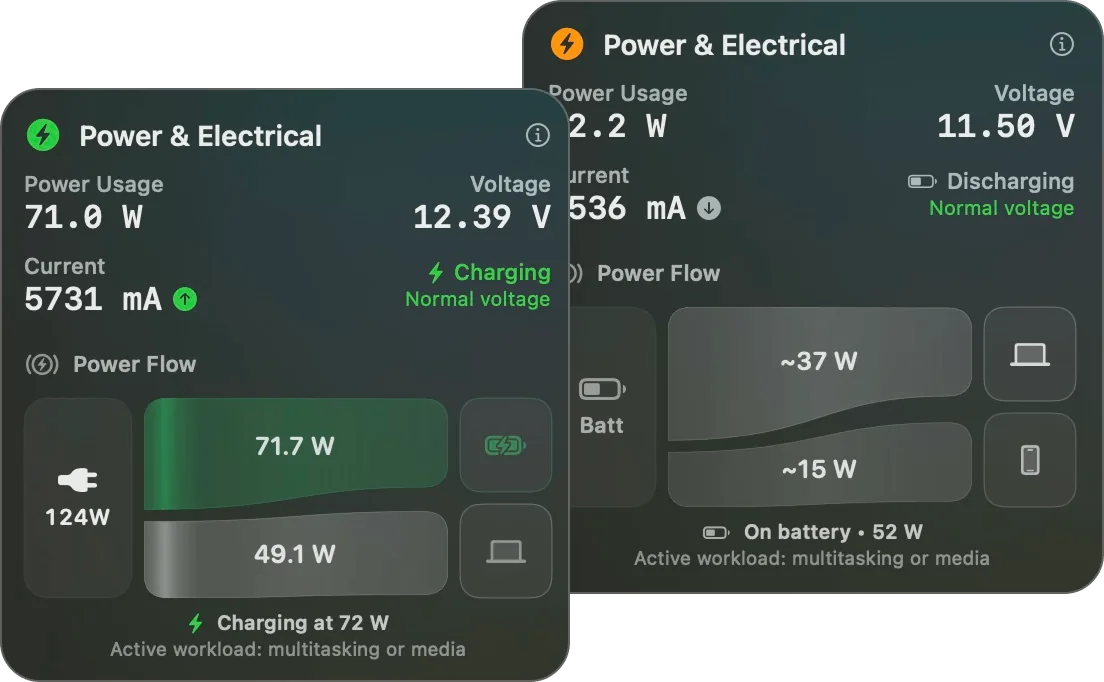
Juicy's live Power Flow diagram shows power moving between the adapter, the battery and your Mac, with the real wattage going in and out. See exactly how fast you're charging, or how hard you're discharging, at a glance.
Free 3-day trial • No credit card required
Free 3-day trial • No credit card required
Juicy is available for your macOS
Get a download link reminder sent to your email when you are back in front of your computer:
We'll send you the download link. No spam.
You never really know
how fast you're charging
Grabbed a random charger? Plugged into a USB-C hub? You have no idea whether your Mac is fast-charging or barely trickling.
Power Flow makes it visible: watch the watts move and instantly spot a weak charger, a bad cable, or a heavy load. No more guessing, just look.
Everything power flow should show
See the watts, not just the percentage
Live animated diagram
Watch power flow between adapter, battery and Mac in a smooth animated diagram. It's the clearest way to see what your power system is doing right now.
Real wattage in & out
See the exact watts flowing into the battery and out to the system, updated continuously. No more guessing whether you're gaining or losing charge.
Know your charging speed
Instantly see how many watts your charger is actually delivering, so you know if you're fast-charging or just trickling along.
Spot a weak charger or cable
If an adapter or cable delivers fewer watts than expected, Power Flow makes it obvious at a glance, so you can swap it before your next call.
Charging vs discharging
See the direction flip the moment you plug in or unplug, and watch how hard your Mac draws under load when you're running heavy apps.
Oddly mesmerizing
A genuinely satisfying way to understand what your Mac's power system is doing right now. You'll find yourself checking it just to watch the watts move.
Why it's useful
What the watts actually tell you
Power Flow turns a number nobody usually sees into answers you can act on, before a slow charge or a weak cable leaves you stranded.
Is your Mac charging fast enough?
If your adapter delivers fewer watts than your Mac is drawing under load, the battery creeps up slowly, or not at all, while you work. Power Flow shows it instantly, so you're never left waiting endlessly for a top-up right before you head out.
Is your cable the bottleneck?
A cheap or worn USB-C cable can throttle throughput far below what your charger can actually deliver. Compare the watts flowing in against the charger's rating to catch a weak cable before you blame the battery.
Are you actually fast-charging?
Confirm your charger is hitting the high wattage your MacBook supports instead of trickling in a few watts. Perfect for vetting a new charger, a borrowed brick, or the random adapter in a hotel room.
Is a hub or dock shortchanging you?
Docks and USB-C hubs often pass through less power than you'd expect. See at a glance whether you're net charging or quietly draining while everything is plugged into one.
Live visualization
Watch the watts move in real time
Power glides from the adapter into the battery and out to your Mac, with live wattage labels on every leg. The direction flips the instant you plug in or pull the cable.
Pairs perfectly with the rest of Juicy
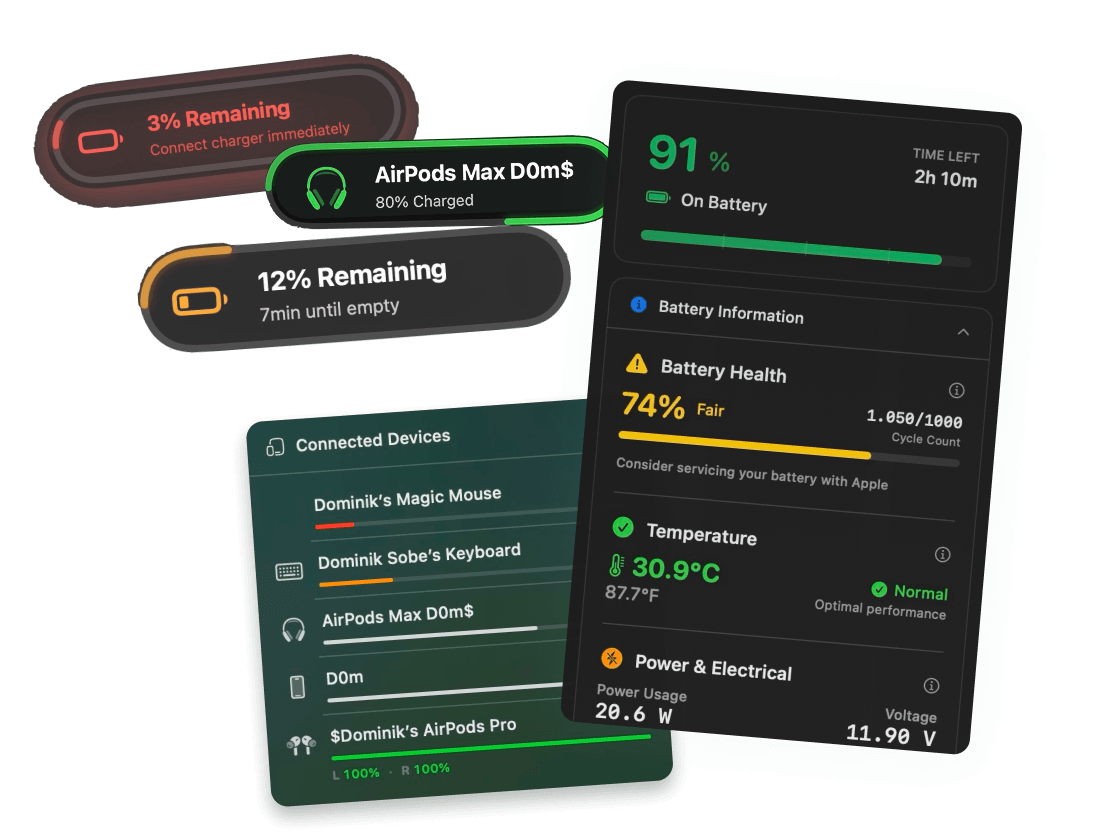
Power Flow is just one piece. Pin a charge limit to stop topping off at 80%, dig into your battery health with cycles and temperature, break down energy usage by app, and keep an eye on your iPhone & iPad battery health, all from the same menu bar.
I feel powerful with this
"Great to see how much time I have until charged or all the little stats this thing shows too. Good to know especially if you're really trying to take care of your battery. Very handy to know what's kinda going on"
See your real charging speed.
Pay once, own forever.
No subscription. No hidden fees. Get live power flow on your Mac for life.
Free Trial
3 days, full features
- Custom battery alerts at any %
- Battery health monitoring
- Lifecycle alerts & notifications
- No credit card required
Pro License
One-time payment
- Pay once, use forever
- One year of free updates
- Use on up to 2 Macs
- All Pro features unlocked
Optional renewal for another year of updates at $9.99 via the license manager once period ends
Juicy is available for your macOS
Get a download link reminder sent to your email when you are back in front of your computer:
We'll send you the download link. No spam.
Lifetime License
One-time payment
- Lifetime updates, never renew
- Use on up to 2 Macs
- All Pro features unlocked
- Support indie development
Juicy is available for your macOS
Get a download link reminder sent to your email when you are back in front of your computer:
We'll send you the download link. No spam.
14-day money-back guarantee.
If Juicy doesn't work for you, get a full refund.
Power flow
questions
Everything about charging wattage, charge speed, and reading your Mac's power flow.
How many watts is my Mac charging at?
Power Flow shows the exact wattage flowing into your battery in real time, so you always know your real charging speed, not just the percentage going up.
Why is my MacBook charging slowly?
Often it's an underpowered adapter or a weak cable. Power Flow shows the actual watts being delivered so you can tell instantly whether the charger or the cable is the bottleneck.
Can I see real-time power draw on my Mac?
Yes. Power Flow visualizes the live watts moving between adapter, battery and system, both while charging and while discharging.
Does it show if my charger is underpowered?
Yes. If your adapter or cable delivers fewer watts than expected, the diagram makes it obvious, so you can grab a stronger charger when it matters.
What is power flow?
It's the movement of electrical power between your charger, your battery and your Mac. Juicy animates it so you can see exactly what's happening at any moment.
Does it work with any charger or cable?
Yes, with any adapter or USB-C / MagSafe cable. Juicy reads the real wattage regardless of brand, so it works with whatever you've got plugged in.
Don't run out of juice.
Smart battery alerts, health insights, and beautiful design: everything you need for your Mac's battery. Use 3 days for free.
Juicy is available for your macOS
Get a download link reminder sent to your email when you are back in front of your computer:
We'll send you the download link. No spam.
 •No credit card required