How to Reset a Mac Battery (Intel and Apple Silicon)
Jul 20, 2026 • 6 min read By Dominik, maker of JuicyOn Apple Silicon Macs (M1 and later) there is no SMC to reset; you "reset" simply by shutting down fully for about 30 seconds and powering back on. Only Intel Macs have a resettable SMC, via a keyboard combo. Modern batteries self-calibrate, so the old drain-to-zero ritual is obsolete.
Verified on macOS Tahoe in July 2026. The steps are identical back to macOS Ventura.
If you came here to perform a ritual, here is the twist: on most Macs sold in the last several years, the ritual no longer exists. Let's sort out what is real, what is outdated, and what actually helps.
Do you even need to reset or calibrate? (usually no)
Two different old habits get bundled together as "resetting the battery":
- Resetting the SMC, the System Management Controller that handled power, charging, thermal and battery behavior on Intel Macs.
- Calibrating the battery, an old routine of fully charging, fully draining, and resting the battery so the percentage gauge stayed accurate.
Neither is something a healthy modern Mac needs on a schedule. An SMC reset is a targeted fix for specific misbehavior, and calibration was retired years ago for the batteries in current Macs. If your Mac charges and reports its percentage normally, you can close this tab. If something is genuinely off, read on for the version that applies to your machine.
Apple Silicon vs Intel: what is even possible
This is the part most guides get wrong, so here is the honest breakdown.
| Your Mac | SMC reset | How to clear power glitches |
|---|---|---|
| Apple Silicon (M1, M2, M3, M4) | Does not exist | Full shutdown, wait ~30 seconds, power on |
| Intel with T2 chip (2018 to 2020) | Yes | Keyboard combo (below) |
| Intel without T2 (pre-2018) | Yes | Keyboard combo (below) |
On Apple Silicon Macs, the functions the SMC used to handle are built into the chip itself. Apple confirmed there is no separate controller to reset, and no key combination does anything. The official equivalent is simply a full shutdown and restart, which re-initializes power management on boot.
On Intel Macs, the SMC is still a discrete controller, and resetting it is a legitimate step when charging, sleep, fans or power behave strangely.
How to reset the SMC on an Intel Mac
Only do this after you have ruled out the cable, adapter and port. An SMC reset is safe and touches none of your files.
Intel MacBooks with a T2 chip (2018 to 2020):
- Choose Apple menu > Shut Down and wait for it to power off completely.
- Press and hold the right Shift, left Option, and left Control keys for 7 seconds.
- Keep holding them and also hold the power button for another 7 seconds.
- Release all four keys, wait a few seconds, then press the power button to turn the Mac on.
Intel MacBooks without a T2 chip (non-removable battery, pre-2018):
- Choose Apple menu > Shut Down.
- Hold Shift + Control + Option on the left side of the keyboard and the power button at the same time for 10 seconds.
- Release all keys, then press the power button to start up.
Not sure whether your Mac is Intel or Apple Silicon? Click the Apple menu > About This Mac. Apple Silicon lists a chip like "Apple M2"; Intel lists an "Intel Core" processor. If an SMC reset does not fix a charging problem specifically, our guide on a Mac that won't charge covers the cable, port and thermal causes in order.
Why calibration is mostly obsolete now
The classic calibration routine went: charge to 100 percent, keep charging a couple of hours, unplug and use it until it dies, leave it dead overnight, then charge to full. People still search for how to drain a Mac battery fast in order to do exactly this.
Here is why you can skip it. Modern lithium-ion batteries ship with a smart controller that tracks capacity continuously and self-corrects during normal charge and discharge. There is no separate gauge to hand-calibrate. Worse, deliberately running to zero and leaving it there is one of the harder things you can do to a lithium cell, so the ritual can shorten lifespan slightly rather than help.
The one modern exception is mild: if your percentage readings ever look obviously wrong (jumping from 40 percent to shutdown, say), let the Mac go through one ordinary full charge and a normal discharge across regular use. That resyncs the gauge without any forced deep drain. Deliberate deep-draining for "health" is a myth, the same way you cannot reset a cycle count short of a new battery.
Better than a reset: check the battery's real health
Strip away the folklore and almost everyone reaching for a reset actually wants one reassurance: is my battery okay? A reset does not answer that. A real health reading does.
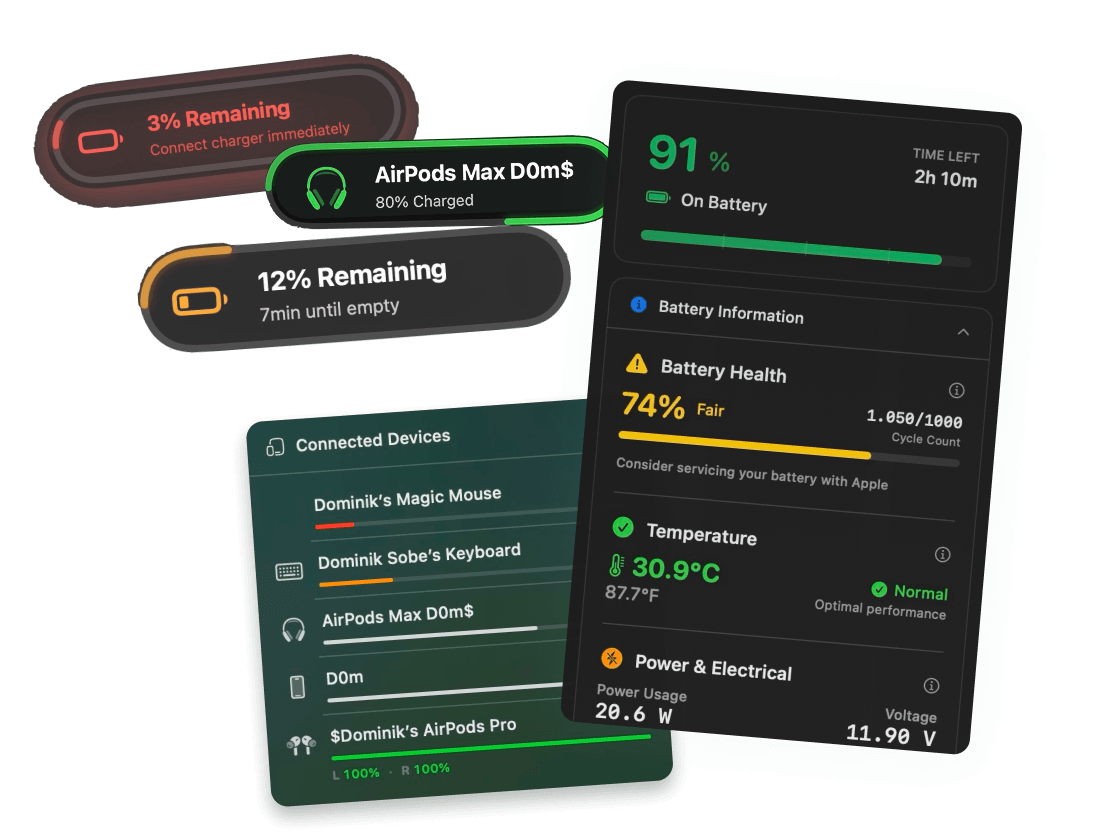
Juicy's battery health tracking shows your live health percentage, cycle count, temperature and voltage in the menu bar, plus Apple's Service Recommended flag the instant it trips. Instead of performing a 12-hour drain ritual and hoping, you get the actual condition of the cell in seconds, and Juicy tracks the trend over time so you can see whether it is genuinely declining or just having an off day.
It is a native menu-bar app, featured by Apple, rated 4.85 stars across 100+ reviews, with a 3-day free trial and no credit card. If the numbers are healthy, you never needed the ritual. If they are not, you will know exactly what to do next, and our guide on checking battery health on a Mac has the free manual method too. Should the real complaint be runtime rather than health, why a Mac battery drains so fast is the better starting point.
Frequently asked questions
Does resetting the SMC improve battery?
It can fix charging or power management glitches on Intel Macs, but it does not restore lost capacity or add cycles of life. If your battery is worn, an SMC reset changes nothing. Reserve it for odd behavior like charging that stalls, not general health decline.
Do modern MacBooks need battery calibration?
No. Every Mac notebook sold in the last decade uses a lithium-ion battery with a built-in controller that calibrates itself during normal use. The old routine of draining to zero and holding it there was for older nickel and early lithium batteries and can actually add unnecessary wear today.
How do I reset the SMC on an M1 Mac?
You cannot, because Apple Silicon Macs (M1 and later) have no separate SMC to reset. The controller is built into the chip. The equivalent is a full shutdown: choose Apple menu, Shut Down, wait about 30 seconds, then power on. That clears the same power and charging glitches.
Should I calibrate my MacBook battery?
For any Mac from roughly 2016 on, no. The battery manages itself, and macOS tracks capacity accurately without a manual ritual. If your percentage readings seem wildly off, a single normal full charge and discharge over regular use resyncs the gauge. You never need to force a deep drain.